
Save Annotation
(Not available in the Free version)
Annotations can be saved as a separate annotation layer or as a permanent part of the image.
To save the annotations to the TIFF image (stored in the TIFF tags), users simply have to save the opened TIFF document.
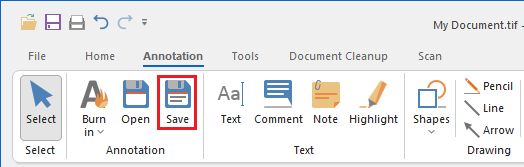
To save annotations as a separate file, please navigate to the Annotation tab, and click on the Save Annotation button.
To save annotations as a permanent part of the image, go to Annotation > Burn In Objects.
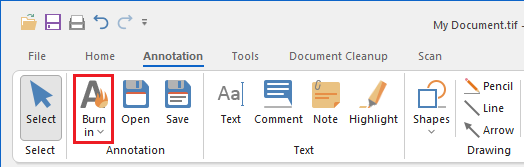
NOTE: Once the annotation objects are burned in, they cannot be removed or modified.
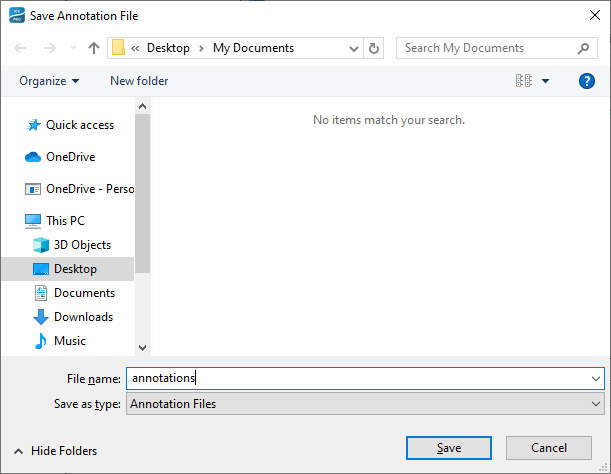
Selecting the Save Annotation option opens a browse window where the annotation can be saved as an Annotation File (.ann).
NOTE: If the TIFF document uses an external annotation file to display the annotations, the IceViewer will save the annotation changes into the given annotation file automatically upon Save, otherwise IceViewer will embed the annotation into the TIFF document.
When a user chooses the Save As option instead of simply saving the document, the IceViewer will embed the annotations into the saved document.
NOTE: Beginning with IceViewer (formerly Tiff Viewer) version 12.00, the format of the annotations saved into .ann files and into TIFF Tags has been changed to XML. IceViewer can still load the old binary format annotations from .ann files and TIFF tags, but it will write the annotations into the new XML format when saving.