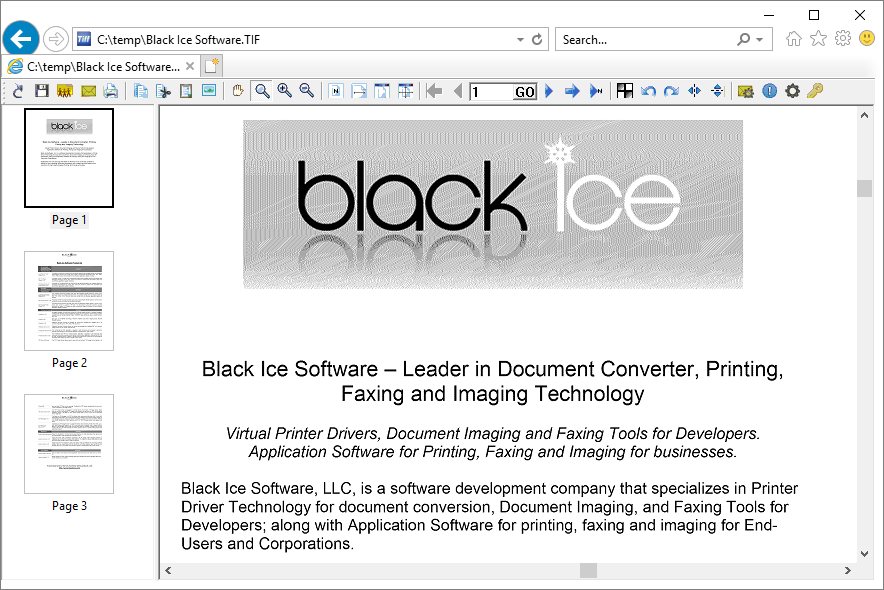
Using the Microsoft IE Browser Plug-In
(Available in the IceViewer TIFF and IceViewer Pro)
Black Ice IceViewer includes a browser plug-in which allows users to view, manipulate and print TIFF files from the web right in their web browser. Some of the features of the IceViewer are not available in the browser client, however, the browser client can be used to save the TIFF files to the local disk, at which point they can be accessed and manipulated using the standalone IceViewer.
Please note that the 64-bit version of the IceViewer does not support the Internet Explorer Browser Plug-In. One can use the IceViewer Chrome/Edge browser extension or the IceViewer Core instead.
Registration:
The IceViewer demo and release registration applies to the IceViewer Browser Plug-in. Therefore, if the IceViewer demo registration is expired, the Browser Plug-in also became expired.
To be able to view TIFF documents in the web browser, the Plug-In must be enabled in IceViewer. For more information, please refer to the Enabling Browser Plug-In section.
Users can utilize the buttons provided in the browser toolbar as in the following picture:

And also, they can right click on an image and choose a command from the pop-up menu: