Getting Information about a File
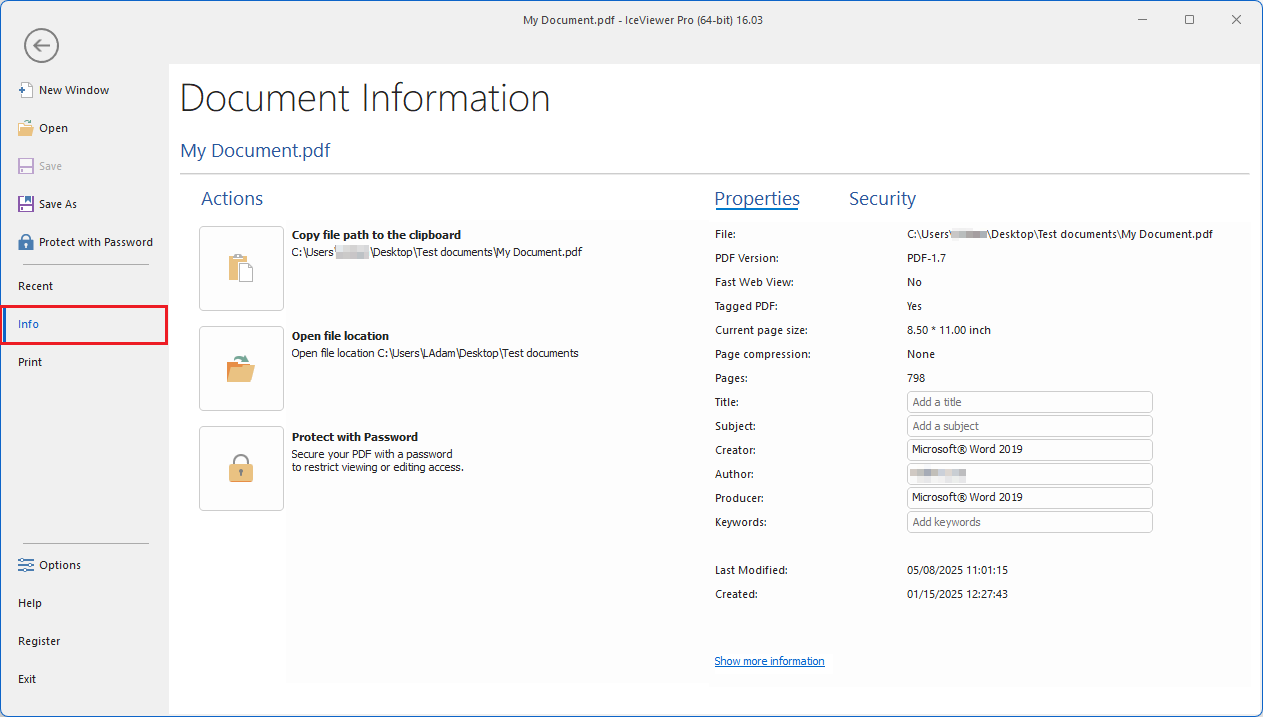
The IceViewer provides detailed information about the currently opened document, including file properties and metadata, and also offers several file-related actions on the Info Panel. To access the Info Panel, navigate to the File menu and select the Info option.
Actions
The Actions section allows users to perform file-related tasks. Depending on the file format of the currently opened document, the available actions may vary.
- Copy file path to the clipboard
Copies the full file path of the currently opened document to the clipboard for easy sharing or reference.
- Open file location
Opens the folder containing the current document in File Explorer.
- Protect with Password (available only for PDF documents)
Opens the Protect with Password window, allowing users to secure the PDF with a password to restrict viewing or editing access. For more information, please see the Password Protect PDF Documents section.
- Change resolution (DPI) (available only for supported image formats)
Opens the Change Resolution dialog, allowing users to view and modify the resolution of the currently selected page. Alternatively, the Change Resolution option is also available on the Tools tab of the IceViewer. For more information, please see the Change Resolution section of the manual.
- Edit TIFF tags (available only for TIFF files)
Opens the Edit TIFF Tags dialog, where users can view and modify the TIFF tags of the currently selected page. Alternatively, the TIFF tag information option is also available on the Tools tab of the IceViewer. For more information, please see the TIFF Tags section of the manual.
Properties
The Properties section displays the technical and descriptive metadata of the currently opened document. Depending on the file format of the document, the available properties may vary.
- File – The full file path of the document.
- PDF Version – Indicates the PDF version used.
- Fast Web View – Shows whether the document is optimized for web viewing.
- Tagged PDF – Indicates whether the PDF contains structural tags for accessibility.
- Current page size – Displays the page dimensions of the current document.
- Page compression – Specifies the compression type used for pages.
- Pages – Total number of pages in the document.
- Title, Subject, Creator, Author, Producer, Keywords – Editable metadata fields that describe the document.
- Last Modified – The date and time the document was last modified.
- Created – The date and time the document was created.
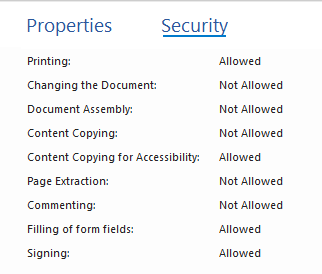
Security
The Security tab displays the security settings and permissions of the currently opened PDF document. This feature is available only for PDF documents.