
Adding a Personalized Stamp
The IceViewer supports adding BMP, and TIFF images or PDF documents as Personalized Stamps onto TIFF documents. BMP and TIFF images can be created by any image editing application that can save images to BMP or TIFF file format, for example, MS Paint.
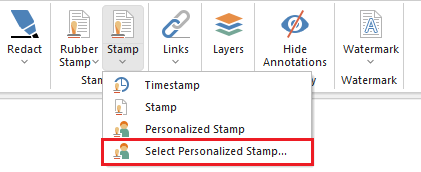
To add a personalized stamp, please navigate to the IceViewer > Annotation tab > Stamp dropdown > and click on the Select Personalized Stamp option.
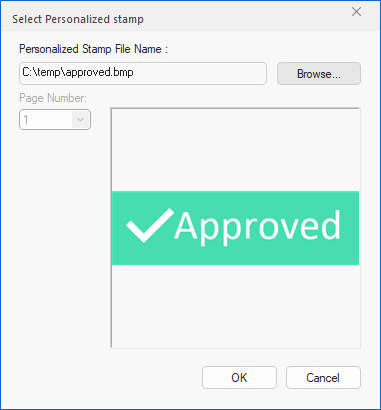
On the Select Personalized Stamp window, the user can select the desired image or document as a custom stamp. If a multipage document is selected, the user can select which page to use as the personalized stamp.
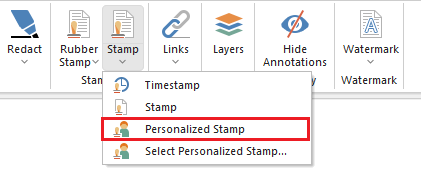
After the image is selected, the user can use the configured image as an annotation by clicking on the Personalized Stamp option in the Stamp dropdown menu.
Place the stamp by clicking on the document.
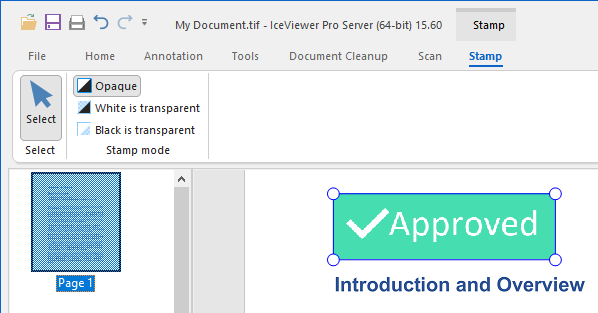
On the Stamp tab the following options are available:
Opaque
The stamp is opaque and covers objects beneath it.
White is transparent
White areas on the stamp will be transparent.
Black ice transparent
Black areas on the stamp will be transparent.