Line Width
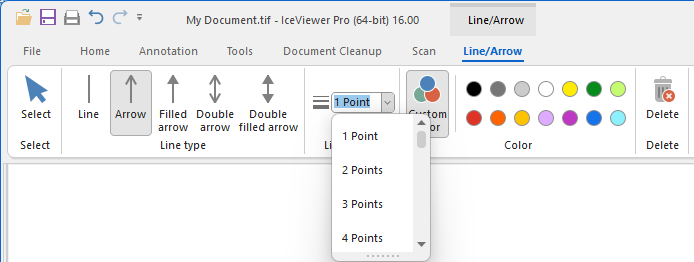
The Line Width option allows the user to specify the width of the lines and borders used by the Line, Arrow, Rectangle, Rounded Rectangle, Ellipse, Block Arrow and Pencil annotation objects. The line width can be selected between 1 point and 20 points.
To configure the line width, please click on the Line Width dropdown menu, and select the desired width from the list.
Alternatively, the line width can be adjusted using the Decrease Line Width or Increase Line Width buttons on the floating menu that appears above the placed or selected annotation.