Adding a Rubber Stamp
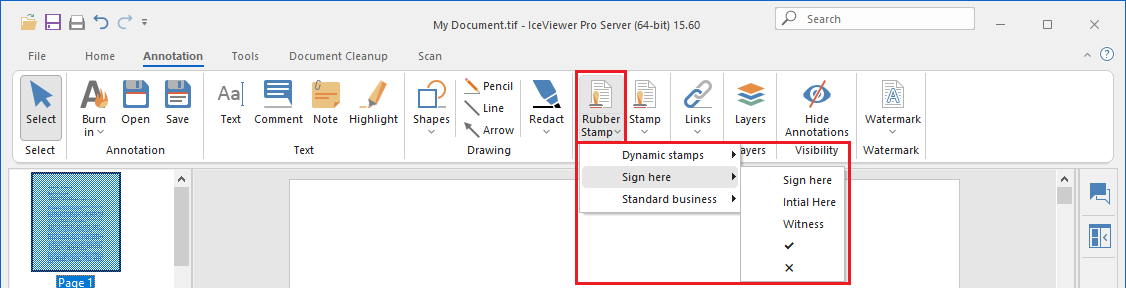
To add a rubber stamp to the document, please navigate to the Annotation tab and click on the Rubber Stamp icon.
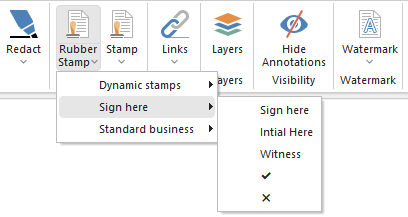
In the rubber stamp dropdown menu, stamps are divided into three categories. Select a stamp from the available options, then click on the document to place it.
Dynamic stamps
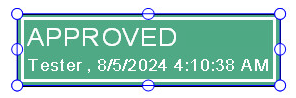
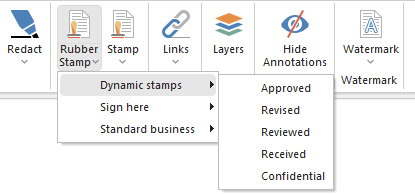
Dynamic stamps offer additional functionality by including the username of the logged-in user and the date and time the stamp was applied.
The list of dynamic rubber stamps is shown below:
Sign here
Stamps in the Sign Here category are used to indicate where a signature or initials should be placed.

The list of stamps in this category is shown below:
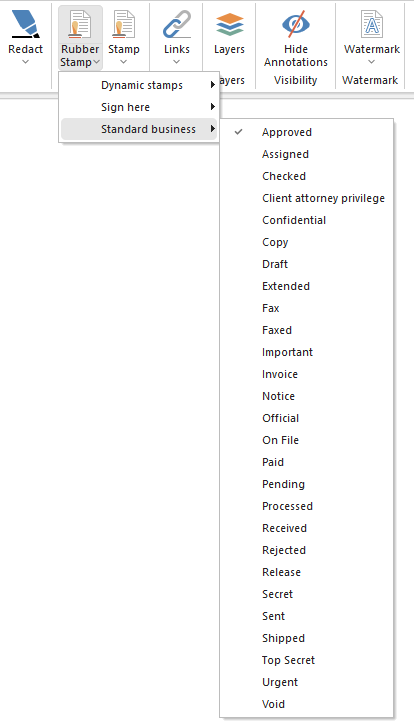
Standard business
Stamps in the Standard business category indicate specific document statuses or actions.

The list of standard business stamps is shown below: