
Layers
Users can specify the active layer which is used when adding annotations to an image. To select the active layer and configure which layer should be visible, please click on the Layers icon on the Annotations tab.

Selecting this option opens the following window:
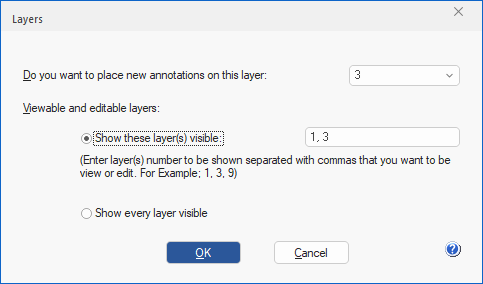
To specify which layers are visible and editable, please select the Show these layer(s) visible option, and enter the desired layers separated by commas. For example, to display layers 1 and 3, users must enter the following: 1,3.
To make sure every layer is visible, please select the Show every layer visible option.