
Jump to main content
Black Ice Software logo
IceViewer Online Manual
  • Introduction and Overview
  • Installation, Licensing and Registration
  • Using the IceViewer TIFF, IceViewer PDF and IceViewer Pro
    • IceViewer Options
      • General
      • View
      • Annotation and Stamp
      • OCR
      • File Association
      • Default Compressions
      • Browser Plug-in
      • Trust Manager
      • Admin
      • Enable/disable IceViewer features
      • Quick Access Toolbar
      • Customize Ribbon
    • Opening Files
    • Combine Files
    • Saving Files
    • Password protect PDF documents
    • Printing
    • Editing an Image
    • Viewing Images and Documents
    • Add Signature
    • Add Text and Marks to the Document
    • OCR & Search
    • Text Search
    • Optical character recognition
    • Send Email
    • Organize PDF Documents
    • Organize TIFF Documents
    • Getting Information about a File
    • Annotating TIFF Documents
    • Annotating PDF Documents
    • Editing Text in PDF Documents
    • Add and edit hyperlinks
    • Using the Comments Panel
    • Document Cleanup
    • Scanning
    • Keyboard shortcuts
    • Quick Start - Hotkeys
    • IceViewer for Tablets
    • Configure the default file association on Windows 11 and 10 with Group Policy
    • Configuring default viewer on Windows Server 2025, 2022, 2019 and 2016 using Group Policy
    • The IceViewer INI File
  • Using the Google Chrome and Microsoft Edge extension
  • Using the IceViewer Core Web Application
  • Using the Microsoft IE Browser Plug-In
  • Troubleshooting and Support
  • Licenses

IceViewer Options

To personalize the settings of the IceViewer, please open the IceViewer Options window by navigating to File > Options .
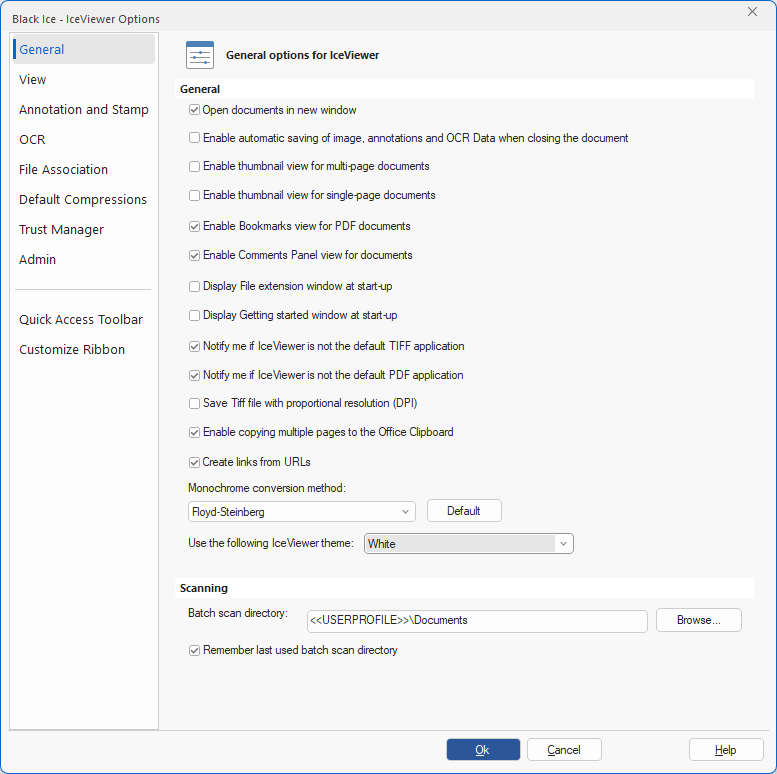
The following tabs are available on the IceViewer Options dialog:

General

View

Annotation and Stamp

OCR (Available in the IceViewer Pro)

File Association

Default Compression

Browser Plug-in (only available in 32-bit IceViewer TIFF and IceViewer Pro versions)

Admin

Quick Access Toolbar

Customize Ribbon

© Black Ice Software, LLC 1989 - 2026. All rights reserved.