
Tools
The Tools category contains options to enable or disable features on the Tools tab.
Some of the features can be found in multiple tabs or menus. Disabling a feature will disable that feature in every location in the IceViewer.
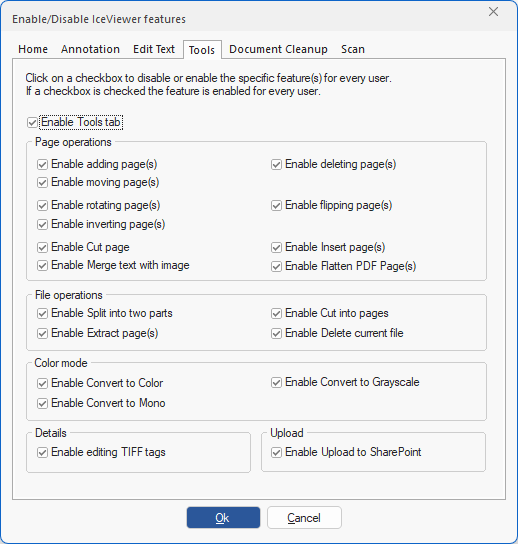
Enable Tools tab – By using this option, Administrators can deny access for all standard users on the computer to the features under the Tools ribbon tab. The restriction does not apply to users with administrative privileges.
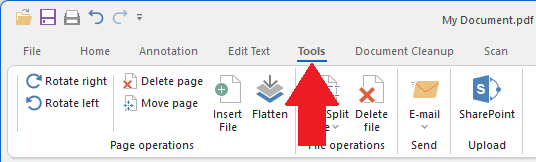
Page Operations
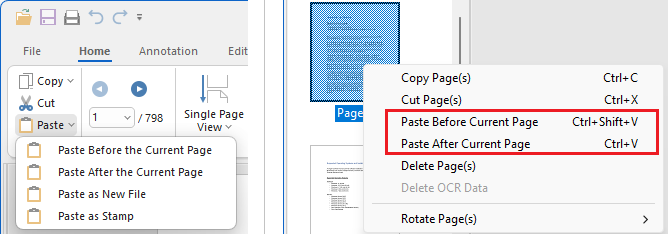
Enable adding page(s) – This option controls whether adding new page(s) to a multipage document is enabled or disabled. When unchecked, it disables the Paste Before the Current Page and the Paste After the Current Page options on the Home ribbon tab and in the appearing context menu when right-clicking on a page’s thumbnail.
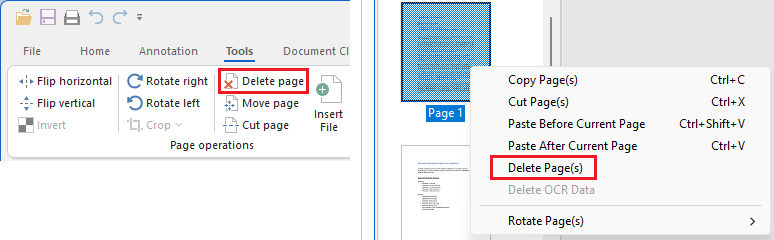
Enable deleting page(s) – This option enables or disables the Delete Page(s) option on the Tools tab and in the appearing context menu when right-clicking on a page’s thumbnail.
Enable moving page(s) – This option controls whether moving/reordering page(s) inside a multipage document is enabled or disabled.
Enable rotating page(s) – This option controls whether rotating page(s) of the current document is enabled or disabled. When unchecked, it disables the Rotate right and Rotate left features on the Home and the Tools tab, and the Rotate page(s) item in the right click menus.
Enable flipping page(s) – This option controls whether flipping page(s) of the current document (using Flip horizontal or Flip vertical) is enabled or disabled. (Available in the IceViewer TIFF and IceViewer Pro.)
Enable inverting page(s) – This option controls whether inverting page(s) of the current document (using Invert) is enabled or disabled. (Available in the IceViewer TIFF and IceViewer Pro.)
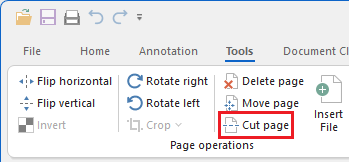
Enable Cut page – This option enables or disables the Cut page feature. (Available in the IceViewer TIFF and IceViewer Pro.)
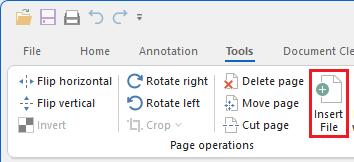
Enable Insert page(s) – This option enables or disables the Insert page(s) feature.
Enable Merge text with image – This option enables or disables the Merge text with image feature.
Enable Flatten Page(s) - This option enables or disables the Flatten feature on the Tools ribbon.
File operations
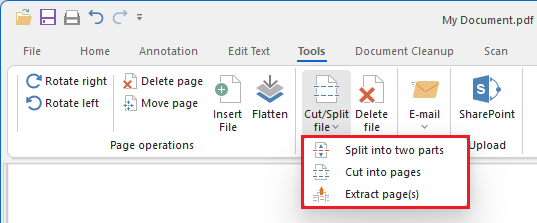
Enable Split into two parts – This option enables or disables the Split into two parts feature in the Cut/Split File menu.
Enable Cut into pages – This option enables or disables the Cut into pages feature in the Cut/Split File menu.
Enable Extract page(s) – This option enables or disables the Extract page(s) feature in the Cut/Split File menu.
Enable Delete current file – This option controls whether deleting the currently opened file is enabled or disabled in IceViewer. The current file can be deleted by using Delete current file from the Home tab or Delete file from the Tools tab.
Color modes
Enable Convert to Color – This option enables or disables the Convert to Color feature.
Enable Convert to Grayscale – This option enables or disables the Convert to Grayscale feature.
Enable Convert to Mono – This option enables or disables the Convert to Mono feature.
Details
Enable editing TIFF tags – This option enables or disables the Tiff tag information feature. (Available in the IceViewer TIFF and IceViewer Pro.)
Send
Enable Send In Email – This option enables or disables sending documents in email with IceViewer for all users.

Upload
Enable Upload to SharePoint – This option enables or disables the SharePoint feature.
