
Annotation
The Annotation category contains options to enable or disable features on the Annotation tab.
Some of the features can be found in multiple tabs or menus. Disabling a feature will disable that feature in every location in IceViewer.
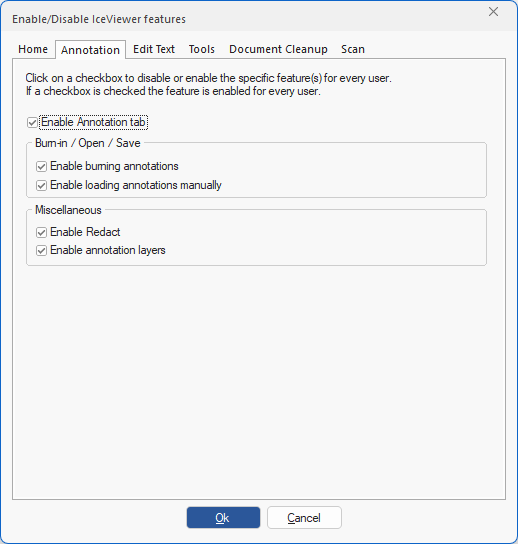
Enable Annotation tab – By using this option, Administrators can deny access for all standard users on the computer to the features under the Annotations ribbon tab. The restriction not applies to users with administrative privileges.

Burn-in / Open / Save
Enable burning annotations – This option controls whether burning annotations into the current document (using Burn in) is enabled or disabled.
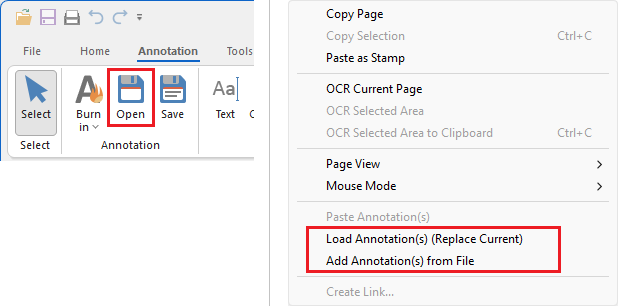
Enable loading annotations manually – This option controls whether opening annotations from a separate .ann file is enabled or disabled.
Miscellaneous
Enable Redact – This option enables or disables the Redact, Whiteout and the Search and redact features on the Annotation tab.
Enable annotation layers – This option enables or disables the Layers feature.