
Quick Access Toolbar
The IceViewer Quick Access Toolbar is a customizable toolbar that contains a set of features that are specified by the IceViewer or selected by the user.
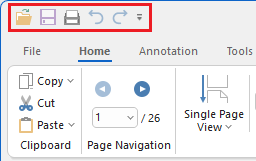
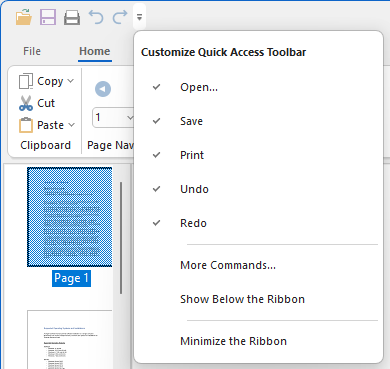
To add new features from IceViewer to the Quick Access Toolbar, click on More Commands…
The Quick Access Toolbar tab appears on the IceViewer Options window.
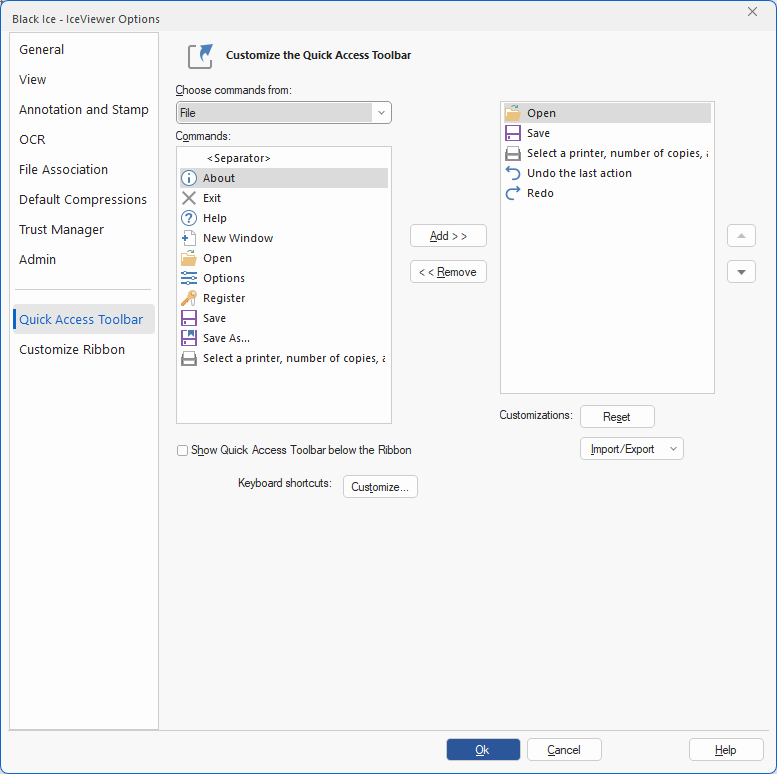
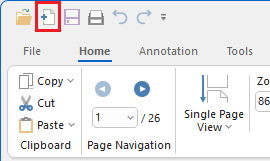
Select the desired feature in the Commands list and click on Add >> button to add the feature to the Quick Access Toolbar. When finished, click OK, and check if the features were added successfully.
Import/Export Quick Access Toolbar Configurations
The Import/Export option on the Quick Access Toolbar tab allows users to save or load personalized Quick Access Toolbar configurations in the IceViewer. Exported files can be used for backup or to apply Quick Access Toolbar configurations during MSI installation.
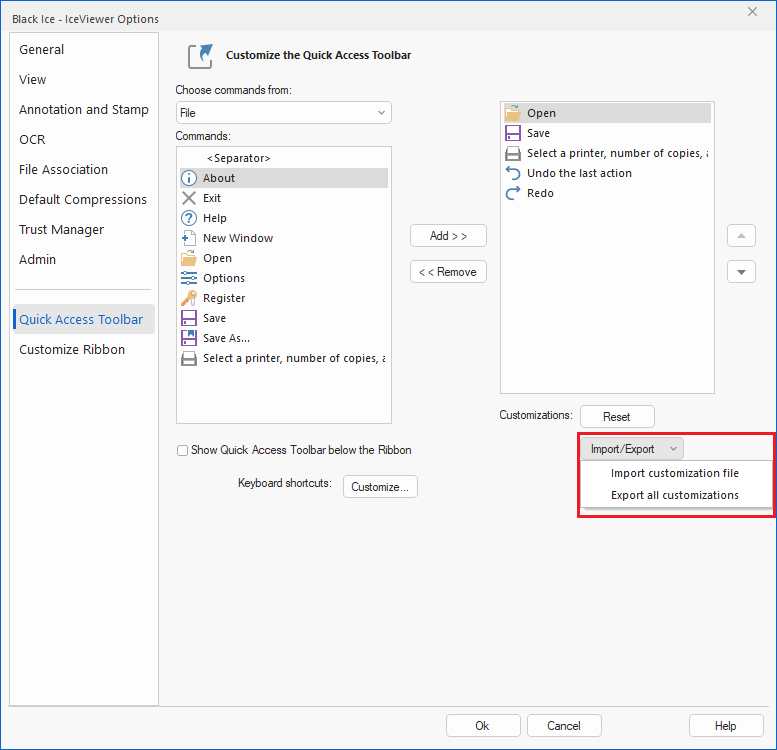
Import customization file
Load a previously saved Quick Access Toolbar configuration file (.QATUI) to apply custom toolbar settings.
Export all customizations
Save the current Quick Access Toolbar configuration, including every added command, to a .QATUI file.
Apply Custom Quick Access Toolbar During MSI Installation
The exported file can be used for MSI installations by referencing the .QATUI file through the CUSTOMQAT parameter during installation, as shown in the following example:
msiexec /i "<<PATH>>\IceViewer64BitSetup.msi" /q CUSTOMQAT="C:\<<PATH>>\IceViewer.QATUI " REGNUM=xxxxx-xxxxxxxx-xxxxxxxxxx