
Cut into pages
(Not available in the Free version)
The Cut into pages tool allows users to split the currently opened TIFF into individual pages and save the new single-page documents to a specified directory.
This feature does not modify the current document, it copies every page to a new file, without removing them.
To split a document into two parts, please navigate to the Tools tab, click on the Cut/Split file option, and select the Cut into pages option.
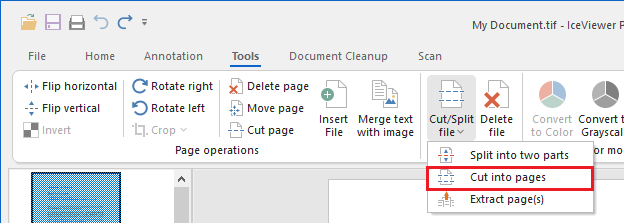
Clicking on the Cut into pages option displays the following window:
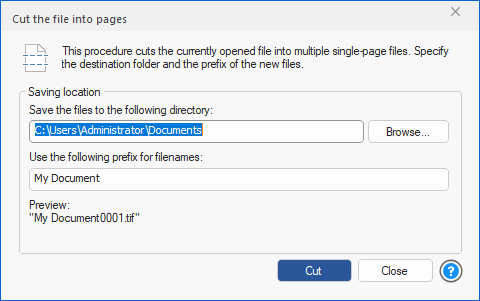
The user must specify the destination folder for the newly created files in the first text field, either by typing in the path or by pressing the Browse… button and navigating to the desired folder.
The user must also specify a prefix in the second text field, which will be used to generate the names of the saved files. The filename preview under the text field is updated every time the prefix is changed and shows the name of the first file to be saved.