Insert page(s) or Merge documents
(Not available in the Free version)
The Insert page(s) option allows users to insert a specific page or pages, or an entire document either before or after a specific page in a PDF document.
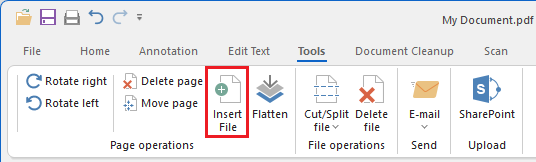
Clicking on the Insert page(s) option displays the following window:
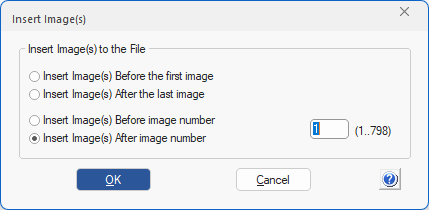
Insert Image(s) Before the first image option inserts the page(s) before the first page of the opened document.
Insert Image(s) After the last image option inserts the page(s) after the last image of the opened document.
Insert Image(s) Before image number inserts the pages before the specified page number.
Insert Image(s) After image number inserts the pages after the specified page number.
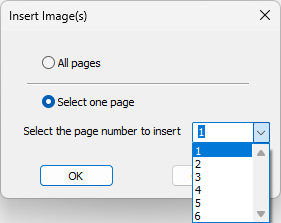
After selecting the document to be inserted, the user can choose to insert all pages or specify a particular page to insert.