How to Add Files
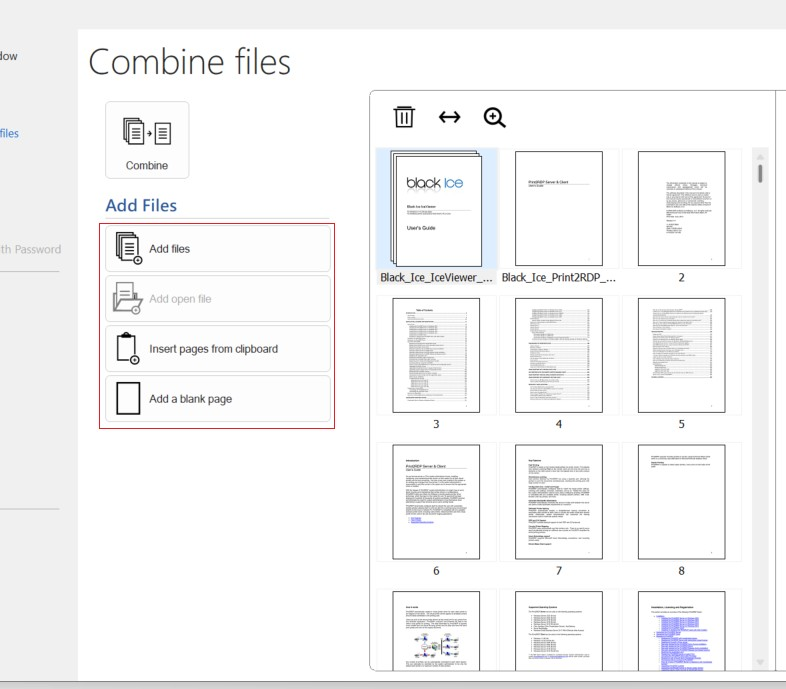
On the left side of the Combine Files view, several options are available for adding content to the combined document:
- Add files
Browse the device and select one or multiple files to include in the combined document.
- Add open file
If a file is currently open in IceViewer, it can be added to the combined document with a single click.
- Insert pages from clipboard
Add pages copied from:
- Other documents opened in IceViewer
- Files copied via the file explorer
- Image-based content (e.g., RTF or screenshots)
- Add a blank page
Inserts a new blank, letter-sized page into the document. This can be used for notes, separators, or additional content.