
Annotation Context Menu
(Not available in the Free version)
By right-clicking on an existing annotation, a context menu appears that provides Copy, Cut, Paste, Delete, and further options to edit the annotation.
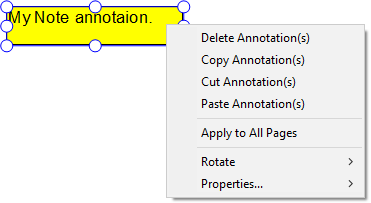
Apply to All Pages
By clicking on the Apply to All Pages option, the IceViewer will insert the selected annotation to every page in the document.
Rotate
Using the Rotate option, the user can rotate the annotation by 90, 180, and 270 degrees.
NOTE: The rotate option is not available for comment annotations.
Properties
By clicking on an option under the Properties menu, the Properties window appears, where users can edit the available annotation properties. Annotation properties can differ for each annotation type.