
Adding Timestamp
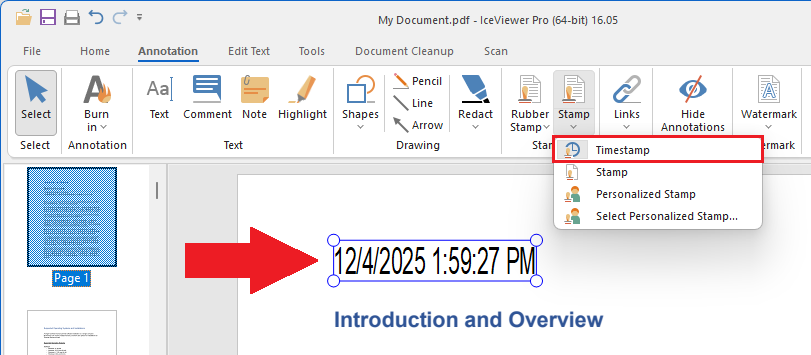
To add a timestamp, please navigate to the Annotation tab, click on the Stamp icon, select the Timestamp option, and place the timestamp by clicking on the document.
To configure the timestamp format, please navigate to the Home tab > click on the More Options button, and select the Annotation and Stamp option on the sidebar:
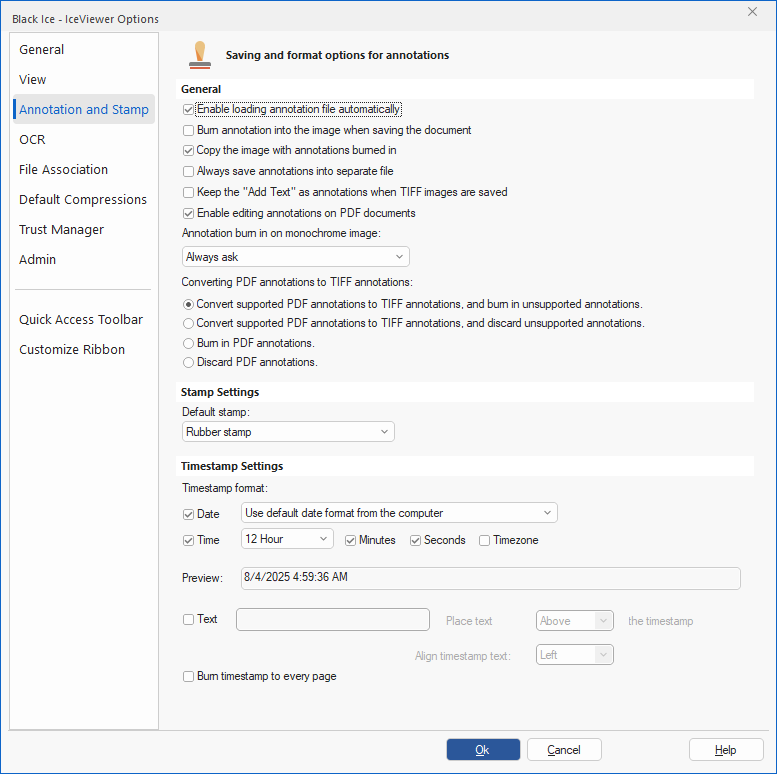
To read more about how to configure the Timestamp annotation, please see Timestamp Settings section of the manual.