
TIFF Tags
(Available in the IceViewer TIFF and the IceViewer Pro)
By selecting the TIFF Tag Information option, IceViewer displays detailed TIFF tag information for the currently opened image file.

The TIFF Tag Information window provides header information for the TIFF and CALS tags associated with the file. The associated tags are listed for the currently selected page of the document. Enabling the Hexadecimal checkbox displays the tag IDs in hexadecimal format. The scroll bar at the top allows the user to navigate between the pages of the image file.
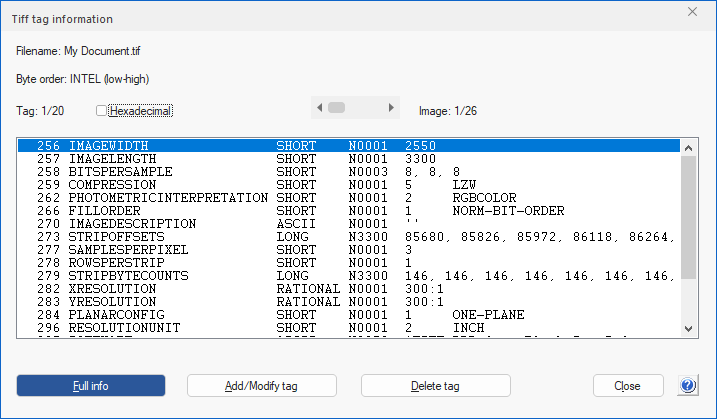
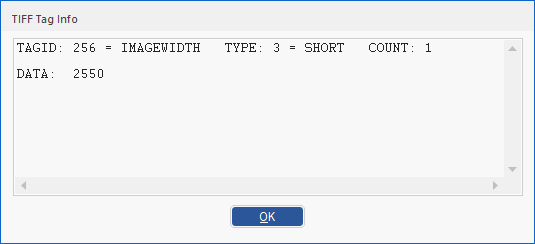
Selecting a tag and clicking the Full info button opens the TIFF Tag Info window containing the full information for that tag:
The Add/Modify Tag allows the user to add or modify a TIFF tag for the current page. This option opens the following window:
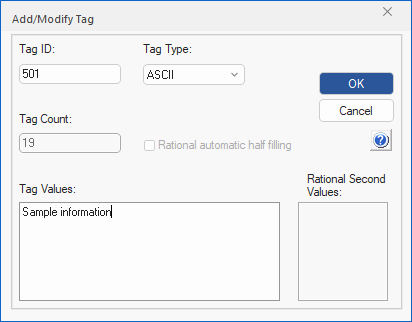
Enter the specific values and press OK to add the tag to the image file header.
The Delete Tag button allows the user to delete the selected TIFF tag.
NOTE: Some tags in certain files are not modifiable.
NOTE: TIFF tag information can be shown only if the image is not changed. If changed, please save the document before getting the TIFF tag information.