
Setting file association by right-clicking on a file
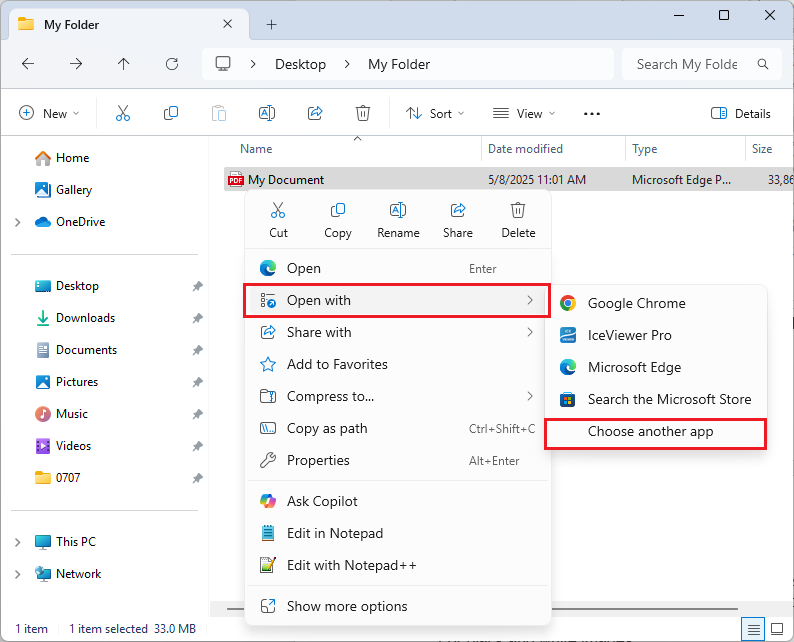
To associate IceViewer with a supported file type, right-click on the desired file in File Explorer > select the Open with option from the context menu > click the Choose another app option.
On the "Select an app to open this [...] file" window, select IceViewer from the list and click the Always button to set IceViewer as the default for that file type.
.png)