
How to Send an Email Using Print2Email
Sending an email with Print2Email is simple. Installing Print2Email automatically adds the Print2Email printer driver to your system. The printer driver converts the document into an attachment for a new email.
To send a document:
- Open the file you want to email.
- Go to File > Print and select Print2Email from the printer list.
- Proceed to send the email with the converted attachment.
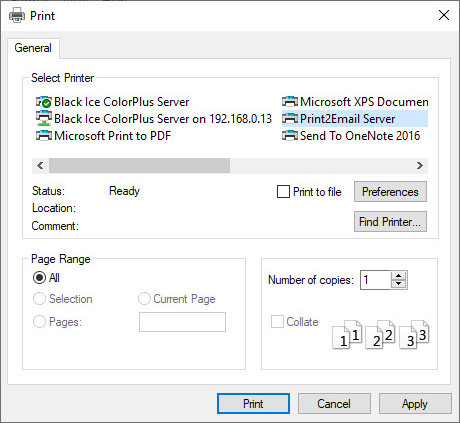
Depending on the type of configuration the user sets up, the email goes out automatically or the user is prompted to add a recipient.
For more details on email and printer settings, see the Configuring the Print2Email Using the Control Center section.