Text-only Email without Attachment
Print2Email can extract the text from a printed document and send it as an email without any attachments.
To use this feature, ensure that at least one email account is configured—either under Email Sending > Email Providers. Once configured, Print2Email will send the document’s extracted text directly in the email body.
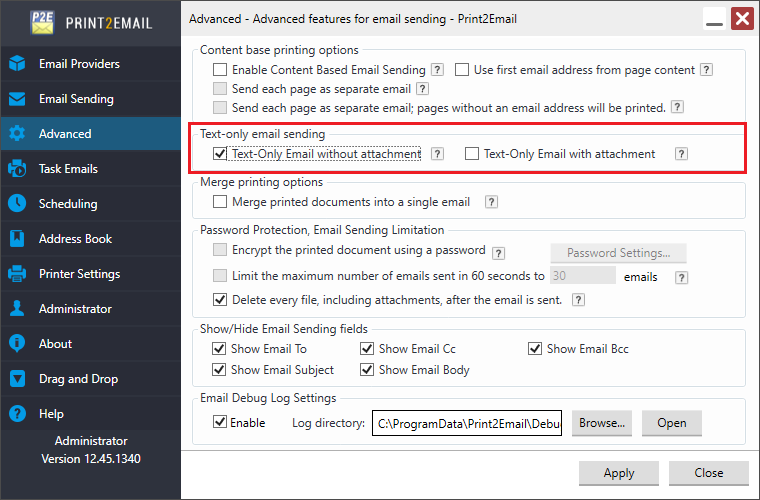
To configure this, go to Print2Email > Advanced Tab and choose an option under Text-Only Email Sending:
- Text-Only Email without Attachment – Inserts the document content into the email body instead of attaching the document.
-
Text-Only Email with Attachment – Inserts the document content into the email body and attaches the printed document as a file.