
How to send emails to a Broadcast List
One can send emails to multiple recipients using Broadcast Lists. To configure the Print2Email for broadcasting, please refer to the Using Print2Email in Broadcast Mode section.
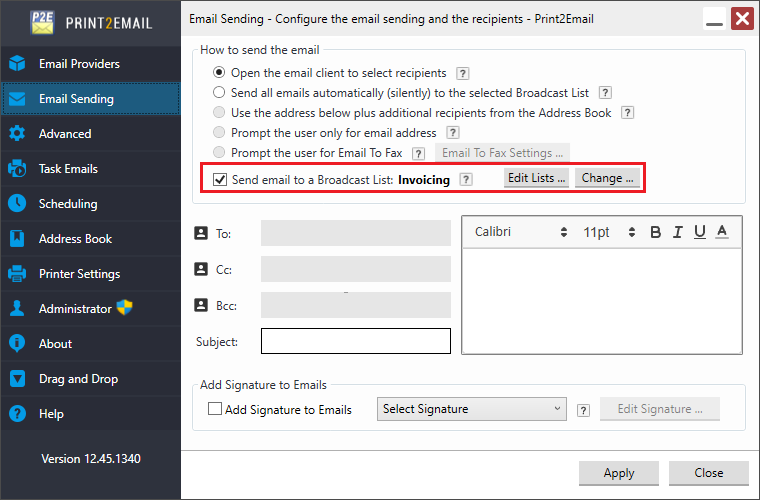
Once the Print2Email is configured for broadcasting, one can select the target broadcast list under the Email Sending, by clicking on the Change button:
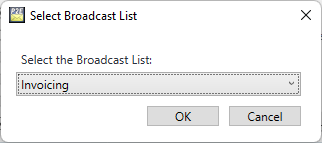
Select the target broadcast list from the appearing window, then press the OK button:
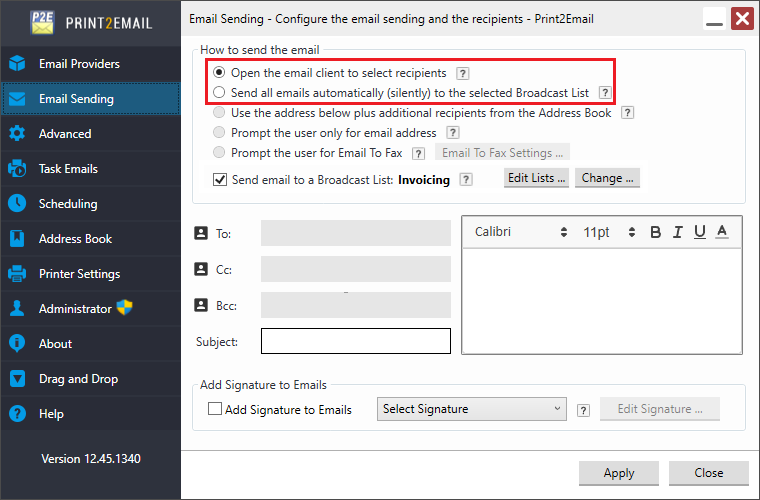
In Broadcast Mode, the Print2Email can be configured for the following email sending methods:
- Open the email client to select recipients
- Send all emails automatically (silently) to the same address
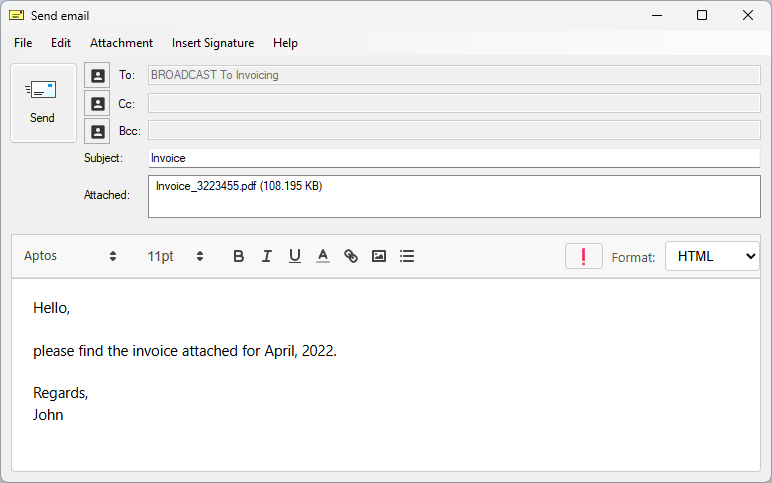
When the Open the email client to select recipients, option is selected, the Print2Email will show the Email Sender window once, allowing the user to compose the email subject and email body. Once the email is ready, the user can click on the Send button, and the email will be sent to all contacts in target broadcast list.
When the Send all emails automatically (silently) to the same address option is selected, the Print2Email will send the email to every contact in the target address book without any user interaction, silently.
NOTE: If any error occurs during the silent email sending, Users and Administrators can find further information in the Print2Email debug log file, if debug logging is enabled.