
Changing Output Directory
To change the default output directory for the Save As option:
- Open Print2Email > Printer Settings.
- Go to the Filename Generation tab.
- Change the default output directory to the desired folder. Ensure you have write permissions for the selected directory.
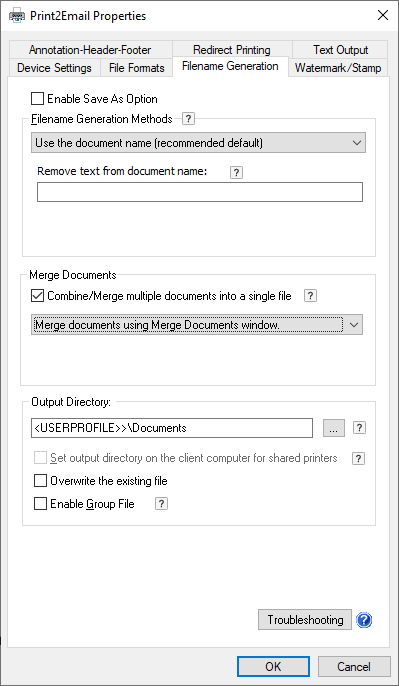
This sets the folder where converted documents will be saved by default.