
Introduction
Print2Email User’s Guide
For Windows 11/10
The Print2Email with PDF application is targeted to both individuals and businesses to provide a seamless email interface to any windows application, allowing them to print to email. Based on Black Ice printer drivers — the fastest and most advanced drivers — Print2Email can generate PDF, TIFF, JPEG, or other type of attachments for email.
Never before was it easier to send documents online. The user can send documents to business partners with one click by printing them through the Print2Email printer driver from Black Ice Software, LLC.
How Print2Email works:
- Open the document you want to send.
- Print it to the Print2Email printer driver.
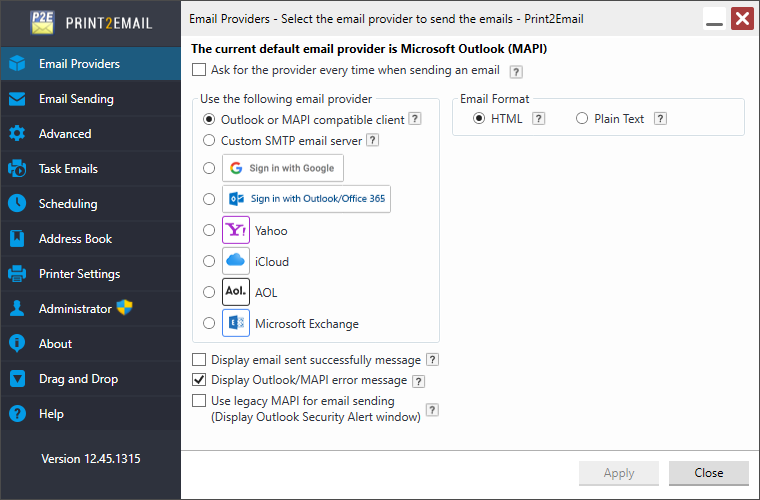
- Depending on the selected email provider, either Outlook Client or Print2Email’s user-friendly email sending window opens.
- The document is automatically converted to PDF and attached to a new email.
- Click Send to deliver the email.
Key Features:
- Send documents silently to a fixed email address or choose a recipient each time.
- Select the output format: PDF, JPEG, TIFF, or other.
- Text extraction from the document. Send text only emails with no attachments.
- Content-Based Email Sending for advanced document handling.
- Fastest document conversion on the market using the new Black Ice Printer Drivers.
- Watermark and stamp support. Print2Email can add watermark or stamp to documents before sending them.
- Annotation support. Print2Email can add different annotations to documents before sending them, such as custom text and the current date and time (when the document was printed and sent, and so on).
- Print2Email remembers these setting so the user does not have to enter them again.
- MSI installation is available for IT managers with large scale deployments.
Key Benefits:
- Easily share documents with multiple recipients, anywhere in the world.
- Create digital archives of important files.
- Quickly prepare and distribute documents for online posting.
- Faster, higher-quality, and more cost-effective than faxing.
- Built-in security: recipients cannot modify the document.
- Virus-free attachments: all outputs are safe, even if the source file contains malware.
- Simple to use: open, print to the Print2Email printer, select recipients, and send.
Business Applications:
- Accounting: Send invoices that cannot be altered.
- Architecture: Share house plans and drawings.
- Real Estate: Distribute listings and photos as a single document.
- Legal: Email contracts and legal correspondence securely.
- Graphic Design: Share high-quality artwork for review.
- Travel: Send professional color travel plans to clients.
Opening the attachments:
Recipients can open, save and store the attached documents just like any other attachment. If users do not have an document viewer, they can download the IceViewer, that allows users to open PDF, TIFF and JPEG files created from any application - including Print2Email.
Print2Email is supported on the following platforms:
- Windows 11 (64 bit)
- Windows 10 (32 and 64 bit)
The Print2Email supports ARM processor based devices.
For Server Edition see: https://www.blackice.com/Print2Email_Server.htm
Supported MAPIclients:
- Microsoft Office Outlook 2021/2019/2016/2013
- Mozilla Thunderbird (without the Address book) (Only on 32-bit operating systems)
Supported Modern (OAUTH) Authentication for Email Providers:
- Outlook.com
- Gmail
Supported SMTP Servers (with SSL)
- Outlook.com
- Gmail
- Yahoo
- Any custom SMTP Server