
How to Send an Email without User Interaction (Silent mode)
The Print2Email can send emails silently, without user interaction, or from applications running under the system account.
To enable silent email sending:
- Go to Print2Email > Email Sending tab.
- Select Send all emails automatically to the same email address.
- Enter at least one recipient email address in the provided field.
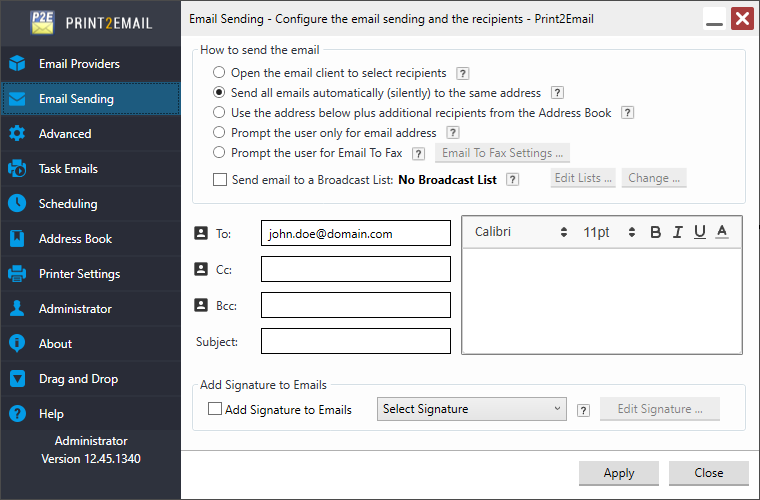
To apply the configurations, click Apply. When a document printed with the Print2Email, all emails will then be sent automatically to the configured recipient.