How to Configure a Default Mail Client
The default mail client must be a MAPI-compatible email program (e.g., Microsoft Outlook) used for sending and receiving emails on the system.
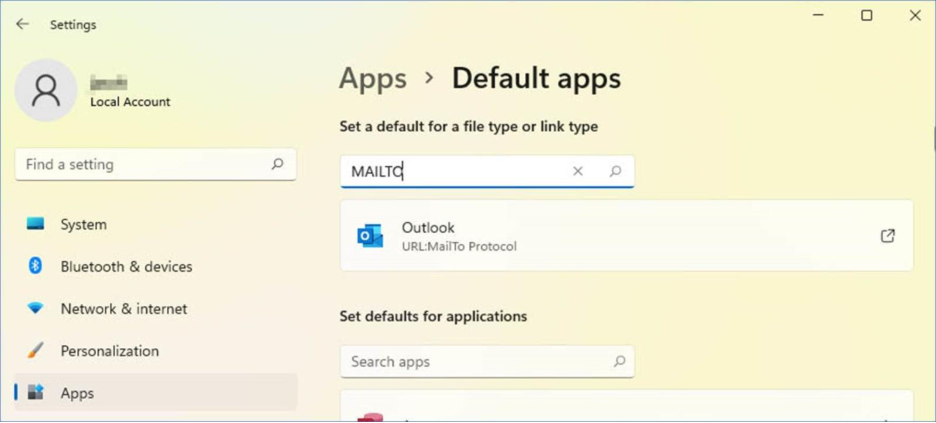
On Windows 11, the default mail client is determined by the MAILTO action:
- Open the Windows > Settings > Apps > Default Apps.
- Type MAILTO to configure the MAILTO action.
- Choose the email program you want to use as the default mail client.