
Send all emails automatically (silently) to the same email address
Print2Email can be configured to send emails silently - without user interaction - or from an application running under the system account.
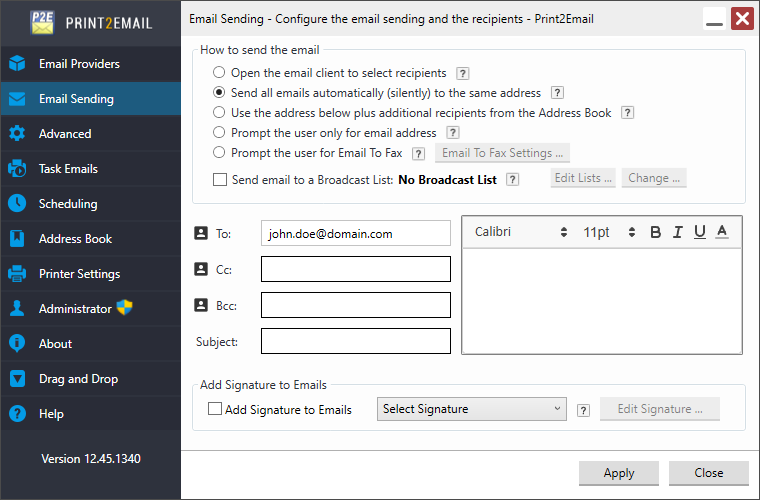
If Send all emails automatically (silently) to the same address is enabled, Print2Email will automatically send emails to the recipient(s) specified in the To, Cc, and Bcc fields of the configuration dialog.
Make sure at least one recipient email address is configured, as shown below. To read more about how to configure predefined recipients, the email subject, or the email body, please see the Specifying recipients, email subject and email body section of the manual.
To specify a limit on the number of emails that can be sent within 60 seconds, please see the Email Sending Limitation section of the manual.
NOTE: With this configuration, the email is automatically generated and sent. The user cannot edit or review the email form before it is sent. Make sure that the Email settings are configured for the intended recipient.