
Task Emails
Task Emails let users create additional Print2Email printers, each with its own predefined email settings. This allows you to automate routine tasks by printing to a specific Task Email printer instead of reconfiguring email settings each time. You can create as many Task Emails as needed.
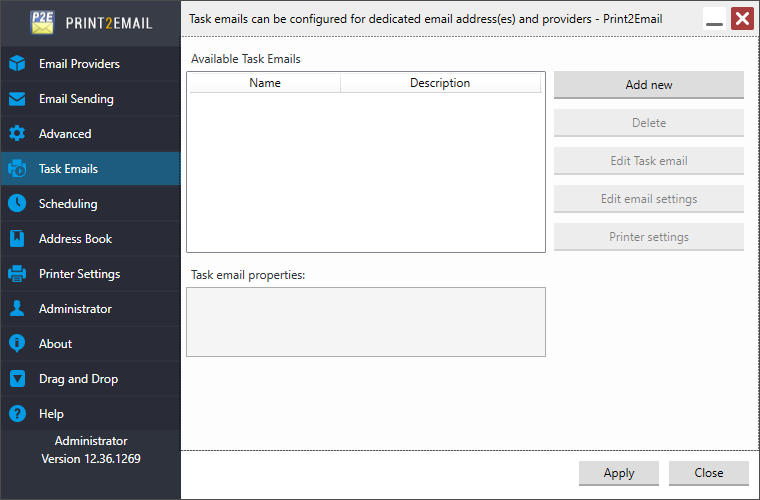
This section covers the following information:
- Available Task Emails
- Add new Task Emails
- Edit Task email
- Edit Task Email Settings
- Delete Task Emails
On Windows 11/10 and Windows server 2025/2022/2019/2016/2012 R2 the created Task Emails appears in the Control Panel > Devices and Printers in a grouped from under the Print2Email. Right click on the Print2Email and go to Printing Properties / Printing Preferences for the Task Email.
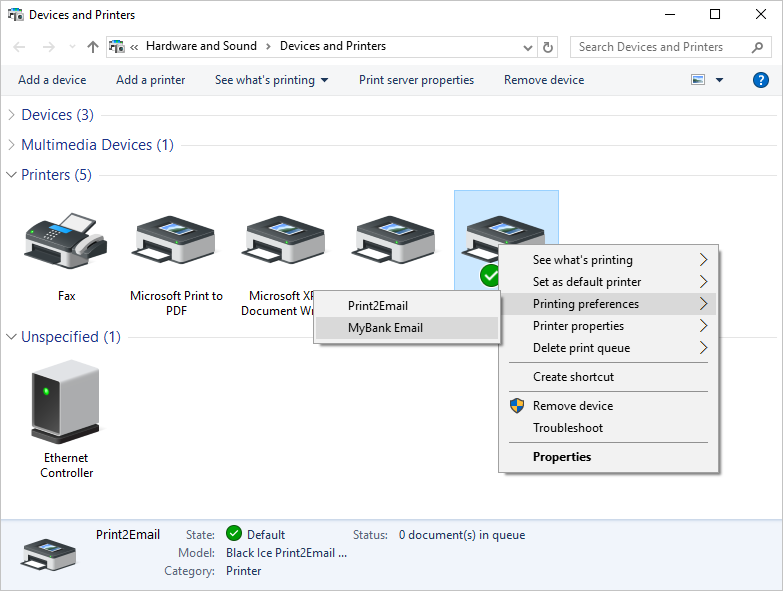
NOTE: The Task Emails are grouped since the Task Emails use the same driver and port as their parent Black Ice Printer Driver.