
Drag and Drop Window
Print2Email includes Drag and Drop functionality, allowing users to convert and send documents by simply dragging the file onto the Print2Email floating window. This provides a quick and convenient way to generate and email documents without printing or opening additional menus.
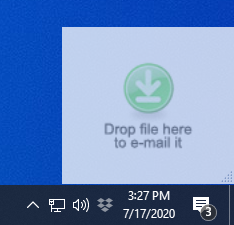
The Print2Email Drag&Drop window can be enabled by pressing the Drag&Drop window option from the Control Center or by right-clicking on the Print2Email system tray icon and selecting the Show Drag&Drop window option.