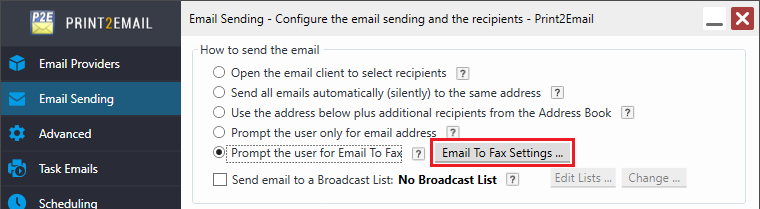
Prompt the user only for Email to Fax
If the Prompt the user only for Email to Fax option is selected, the Print2Email will open the email sending window for Email to Fax.
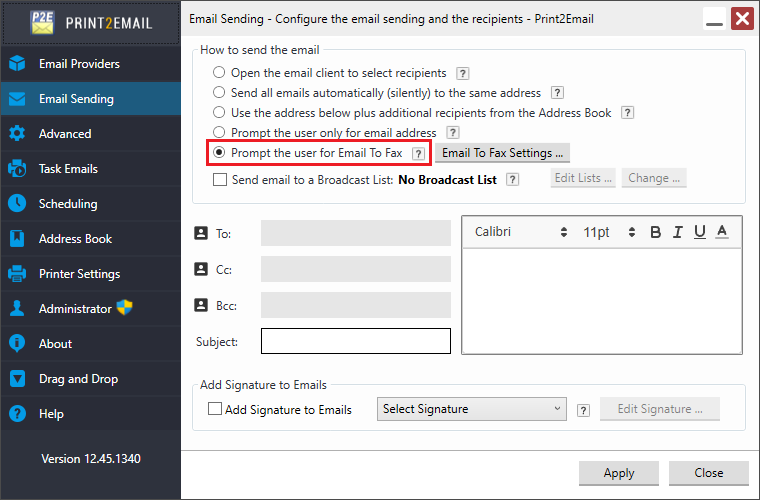
When selecting the Prompt the User only for Email to Fax option, the Email to Fax Setup window pops up, where users can configure the Email to Fax settings.
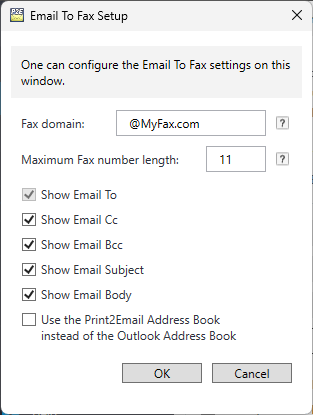
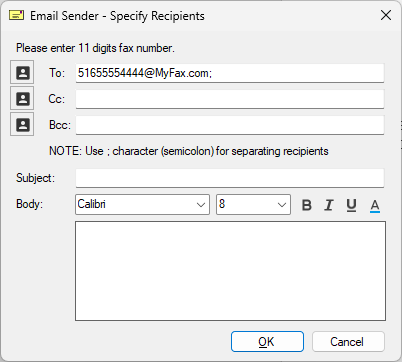
After configuring Email to Fax settings, click OK. According to the configuration, the following window appears when sending an email.
To modify the Email to Fax configuration, click the Email to Fax Settings… button to reopen the Email to Fax Setup window.