
How to disable automatic updates
Automatic updates can be disabled by a computer administrator.
- Exit the Black Ice Automatic Update application from the system tray.
- Start the application using Run as administrator.
- Click File > Help > Check for Updates or File> Options > Admin > Check for updates.
- Select the Settings gear icon.
- Clear Check for updates automatically.
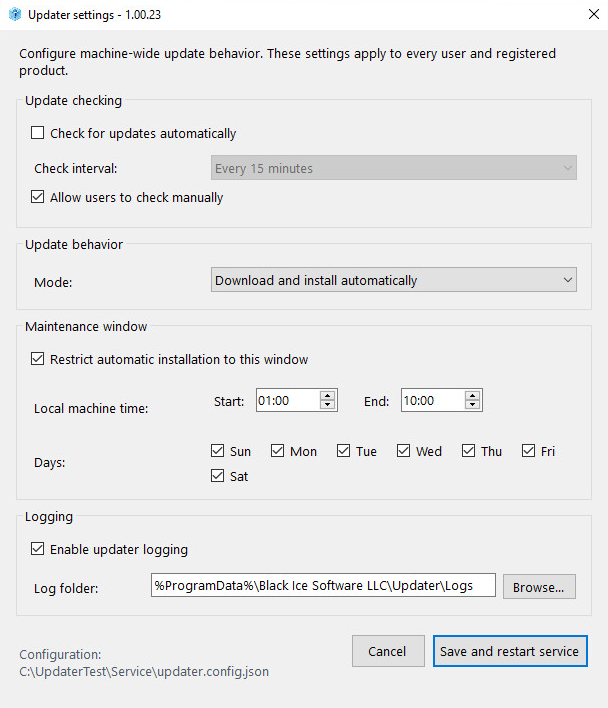
- Select Save and restart service.
The updater will no longer check for updates automatically. If Allow users to check manually remains enabled, users can still select Check for updates whenever they want.
To disable both automatic and manual update operations, select Disabled under Update mode, then save the settings.