Where do I find the Event Viewer log?
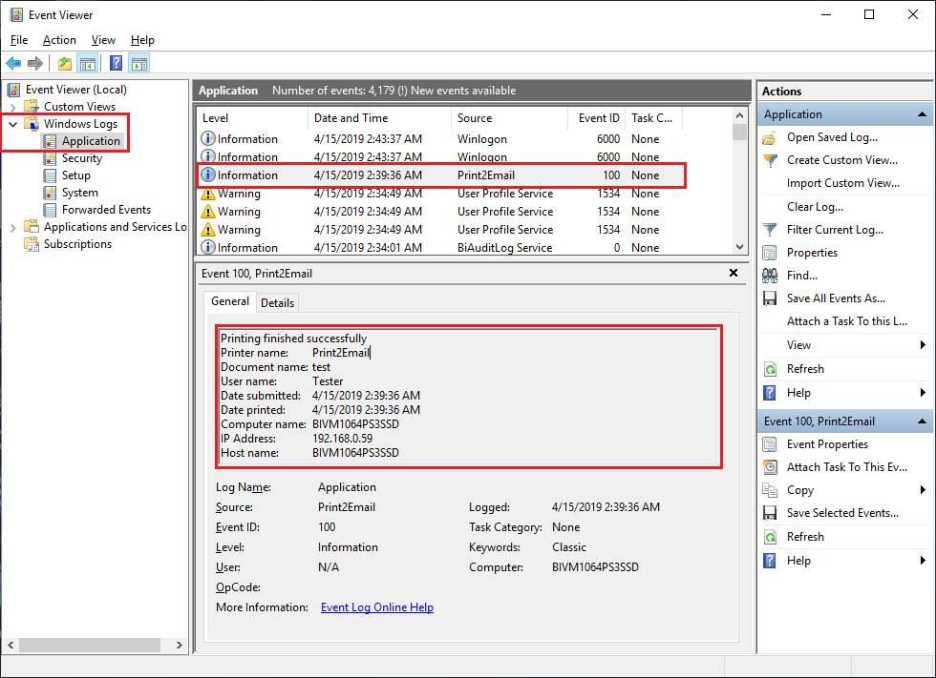
The Black Ice Print2Email Printer Driver is capable of logging every occurring conversion, warning, error, or general information into the operating system Event Log under Application.
In the Start menu, type Event Viewer and click on the application to open the Windows Event Viewer. Alternatively, right-click on the Start menu button > Run > type in “eventvwr” > press enter.
Go to Windows Logs > Application and look for “Error” in the time of Black Ice Print2Email issue that happened (you can also filter the log using the Filter Current log …)
Please send us the text under the General section and a screen capture of the error. For example: