
Cannot send mail with Outlook opened on the computer
In certain cases, when printing to Print2Email, the following error message could appear:
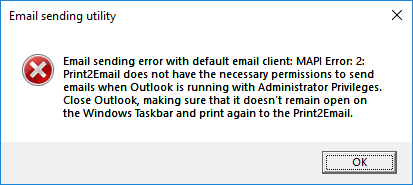
This error occurs, when using MAPI (Outlook) for email sending in Print2Email, and the Outlook is actually opened with Administrator Privileges but the printing application running under a Standard User account. For example: The user trying to print from Microsoft Word running as a standard user, but the Microsoft Outlook is opened and running as Administrator.
In this case Outlook prevents Print2Email to send the email due to permission issues. To resolve the problem, close the running Outlook and try to send an email with Print2Email again.