
Cannot use Yahoo account
When setting up a Yahoo account, and the following window appears during email sending, it means that the Yahoo account does not allow email sending with third-party apps, such as Print2Email. In this case, the user must use an App Password in Print2Email, instead of their Yahoo password. Please follow the link on the message box to generate an App Password.
.png)
https://login.yahoo.com/account/security
On the appearing webpage, please select the Generate and manage app passwords option.
.jpeg)
On the following window please enter ‘Print2Email’ or similar, then click Generate Password.
.png)
Make sure that you save the app password for later use since it cannot be revealed again.
.png)
Paste the copied app password to Print2Email’s password field.
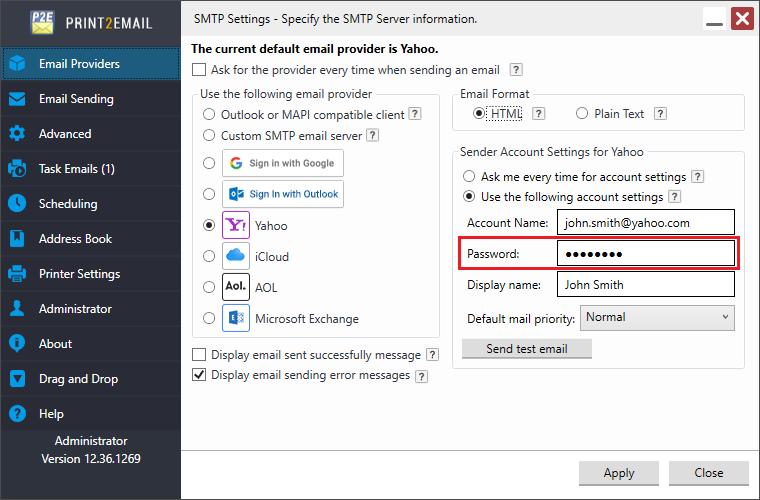
Try sending an email with your Yahoo account again.