Opening Files
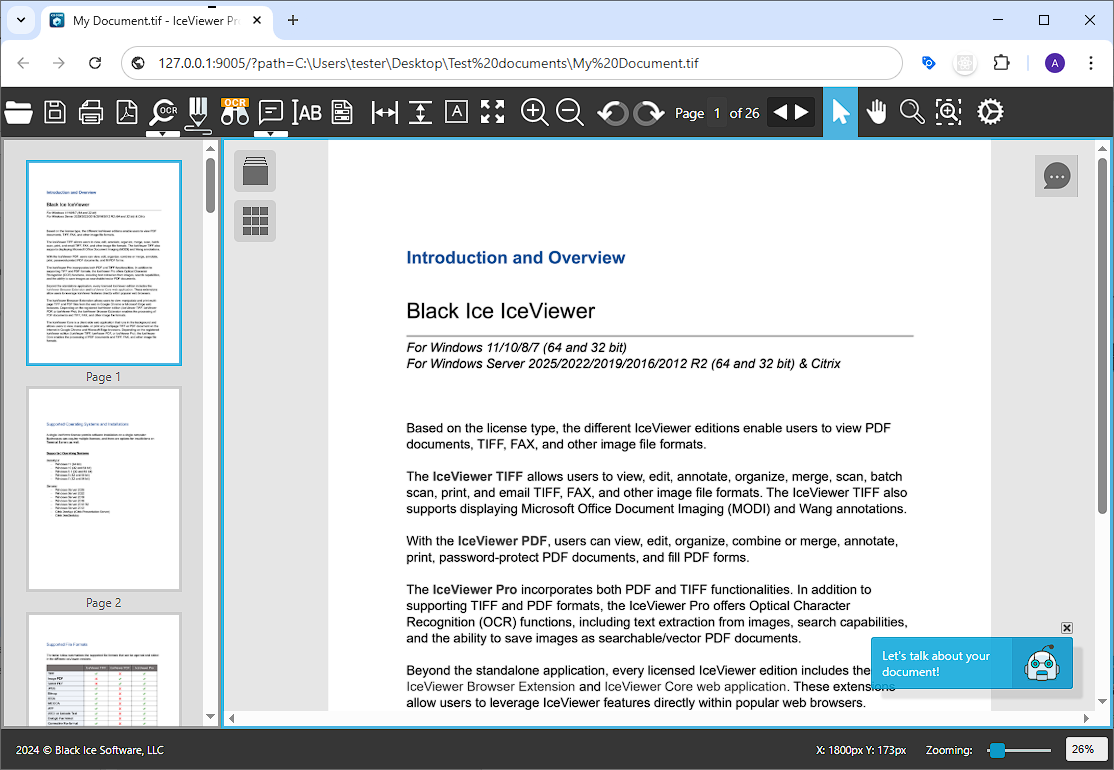
To open a web-based file with the IceViewer Core, open Google Chrome or Microsoft Edge and type the file’s path into the address bar of the browser.
For example: https://www.blackice.com/tiffocx/test.tif
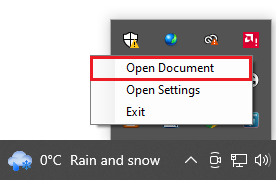
Locally stored documents on the computer can be opened by dragging and dropping the selected file into the IceViewer Core, typing the file’s path into the address bar of the browser (for example: C:/Documents/Test_Document.tif), or right-clicking on the IceViewer Core icon on the system tray and clicking on the Open Document option.
If the IceViewer Core is already opened, one can click on the Open Document button on the toolbar to open an another locally stored document. The selected document will be opened on a new browser tab.

Using the option above, the IceViewer Core will open the selected file as shown below: