
Settings
To edit settings in the IceViewer Browser Extension, please click on the Edit Options button on the top toolbar.

The Settings dialog appears where one can easily personalize the settings of the browser extension.
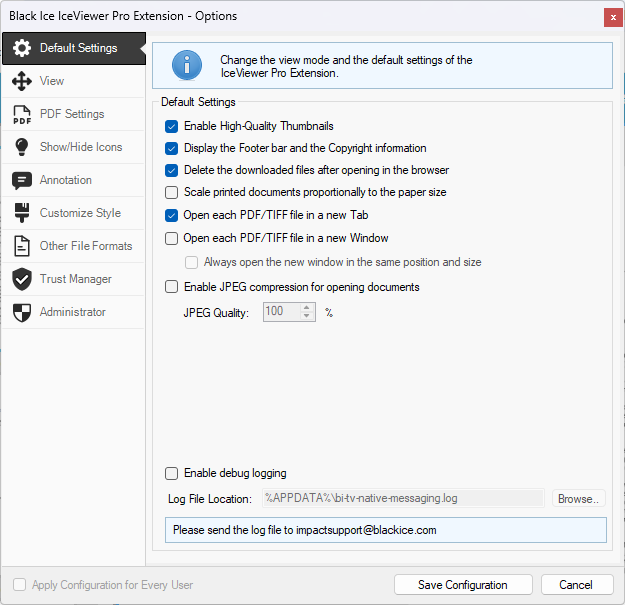
NOTE: The Apply Configuration for Every User option is only available if the Settings window is run as an Administrator. Please refer to the Show / Hide Icons section of the manual to see how to run the Settings window as an Administrator.