
Administrator Settings
The Administrator tab contains settings that will be applied for every user on the computer.
NOTE: Please note that administrator privileges are required to configure these options.
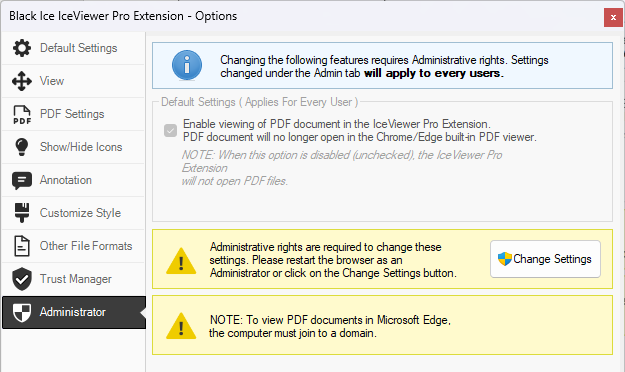
The following settings can be changed:
-
Enable viewing of PDF documents in the Black Ice
Chrome/Edge browser extension.
- If enabled, then PDF files will be downloaded and opened in the IceViewer Browser Extension. PDF files will no longer open in the built-in PDF viewer of the Chrome/Edge browser.
- If disabled, then PDF files will be opened in the built-in PDF viewer of the Chrome/Edge browser. The IceViewer Browser Extension will not open PDF files.
After saving the changes, please restart the browser to apply the changes. For step-by-step instructions on how to restart the browser, please refer to The IceViewer extension setting changes are not applied section.