
Content base text-only email sending without attachment
Print2Email can be configured to send text-only emails without attachments, silently and without user interaction, using Content-Based Email Sending.
Setup Instructions:
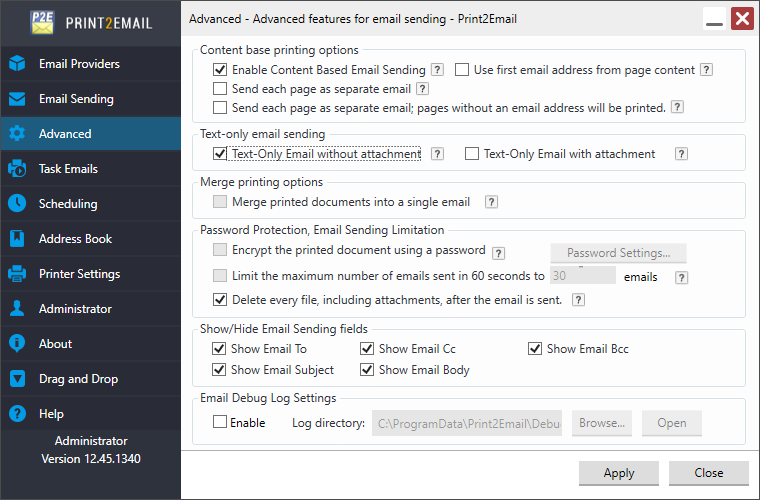
- Go to Print2Email > Advanced Tab.
- Enable the Enable Content-Based Email Sending.
- Check Text-Only Email without Attachment.
Example of the embedded command below includes one email address, subject field, and email body text:
##~~EmailTo=tester@blackice.com~~
##~~ES=Test subject~~
##~~EB=Test email body~~
When the document is printed, the email will be sent to the specified recipient with the specified subject and body.