
Deskew
The Deskew feature can be used to correct images that were skewed from fax transmission, scanning, and so on. This feature analyses the active document and then corrects the image to remove any skewing of the page.
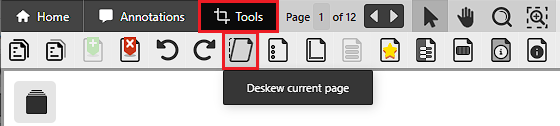
To use the Deskew option, please navigate to the Tools toolbar and click on the Deskew option.
On the Select Pages window, the user can select which pages to deskew.
.png)
The following options are available:
- Current page only – Only the currently viewed page will be deskewed.
- All pages – Every page will be deskewed.
-
Selected Pages – The user can select which pages to deskew by entering the page numbers into the Selected Pages field.