
Send Document in Email
In order to allow email sending, Administrators must configure the SMTP Server in the Administrator panel. For more information, please refer to the Email Settings section.
One can send the current document in email by clicking on the Email To icon on the top toolbar.
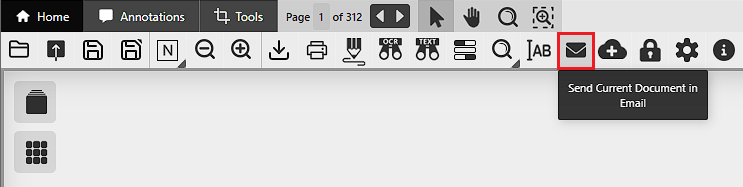
When clicking on the Email To, the following window appears:
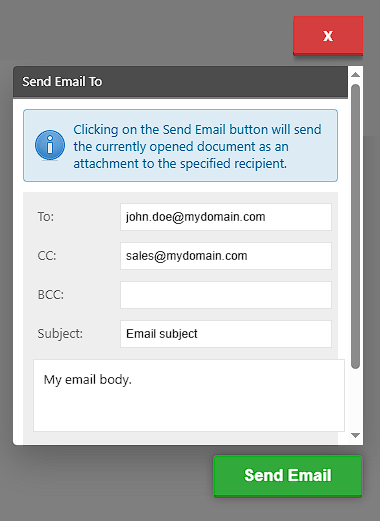
- Email Recipient(s) must be the email address(es) to send the document to. If one would like to send the email to multiple email addresses, then the addresses must be separated with colon (,) or semicolon (;) characters.
- CC must be the email address(es) to send the document to as carbon copy.
- BCC must be the email address(es) to send the document to as blind carbon copy.
- Email Subject will be the subject of the email.
- Email Body will be the email body of the email.
Fill the fields and click on the Send Email button to send the document in email.