
Clean Image
Clean Image is intended for faxed images. It eliminates some of the noise created from faxing the image file.
To use the clean image option, please navigate to the Tools toolbar and click on the Clean Image option.
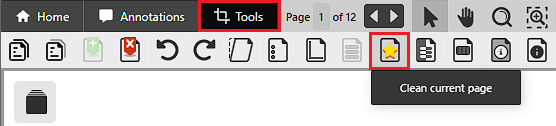
In the Select Pages window, the user can choose which to clean.
.png)
The following options are available:
- Current page only – Clean the currently viewed page only.
- All pages – Clean every page.
- Selected Pages – The user can select the pages to clean by entering the page numbers into the Selected Pages field.
NOTE: Clean Image feature is only available for Monochrome (1 bit) and 8-bit grayscale documents.