
The evaluation version of Print2Email is expired
The evaluation version of Print2Email can be used for 15 days after the installation. Once the evaluation version is expired, the following window appears when starting Print2Email, offering three options.
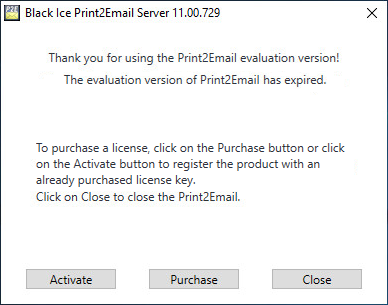
- Click on the Activate button, if you have already purchased a serial number for Print2Email:
Note: When one tries to Activate Print2Email without admin privilege the following window pops up:
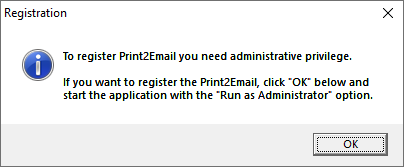
Press OK to close Print2Email and start it with the “Run as Administrator” option.
- The following dialog appears:
.png)
- Enter the serial number in the text field and press OK. The serial number is in the body of the email containing download instructions for Print2Email.
- If registration/activation is successful, the following message appears.
.png)
If registration failed, see the Manually registering the Print2Email Full version section.
- The following dialog appears:
- Click on the Purchase button, to purchase a new serial number for Print2Email.
- Click on the Close button to close Print2Email.