 Buy Now
 Download
When the Impact Fax Server receives a fax by default it will be delivered to the Administrator user account. Normally, to view the fax you use the Outlook Client , the Stand Alone Client , the Web Client or Email to Fax . Another option with the Impact Fax Server is the shared folder. The Impact Fax Server allows you to set up a shared folder to monitor incoming faxes without having to install a fax client. Normally the Impact Fax Server will delete incoming faxes once they have been delivered to a user's account so in order to create a shared folder you must turn on the Archiving feature of the Impact Fax Server.
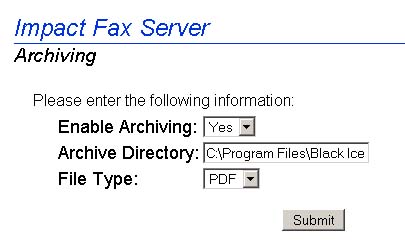
C:\Program Files\Black Ice Software Inc\Impact Fax Server\Archive\Administrator\Received\
If you assign a port to an individual user the path for the Received files for that port would be:
C:\Program Files\Black Ice Software Inc\Impact Fax Server\Archive\ USER ACCOUNT NAME \Received\
Windows 2003
Sharing a Folder on a Windows Server 2003 Domain Environment
Sharing a Folder on a Windows Server 2003 Workgroup Environment
Windows XP
Windows 2000
Sharing a Folder on a Windows 2000 Domain Environment
Sharing a Folder on a Windows 2000 Workgroup Environment