
Online License Validation
Transferable licenses require online validation at least once every month. If the FileFlow Server is registered with a transferable license then it will attempt to connect to the Black Ice License server via the internet to validate the license. For the license validation, the FileFlow Server will require an active internet connection on the computer.
If your computer is not connected to the internet or a firewall is blocking your computer’s connection for more than a week and license validation fails, the FileFlow Server will display a warning notification message of how many days are left before you must validate the license or the software will become disabled.
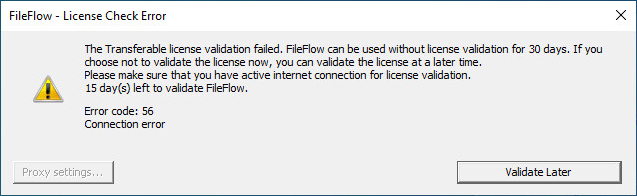
Click on the Validate Later button to continue using the FileFlow Server. The FileFlow Server remains fully functional and can be used until 30 days without online validation.
If the time period for the online validation is expired, and the FileFlow Server was unable to validate the license due to the lack of active internet connection, the FileFlow Server offers the following options:
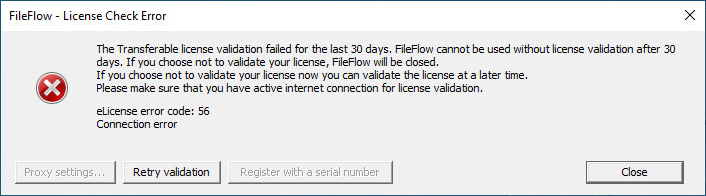
One can attempt online validation by clicking on the Retry validation button. Before retrying the online validation, please make sure that your computer has active internet connection.
Clicking on the Close button the Administrator to register the FileFlow Server without active internet connection, using manual registration. Please be aware, that after the manual registration, the license will not be transferable anymore! This option is recommended in highly restricted environments without internet connection.
Manually registering the FileFlow Server Release (purchased version)