OEM Printer Drivers
Imaging Toolkits
Automated Printing
End-User Virtual Printer Drivers
End-User Virtual Printer (PSA)
Batch Converters
Printing Tools
Document Viewers
HTML5 Viewers
Forms
Print Automation
Impact Fax
Email Automation
Development Tools
Document Converter Printer Drivers, OEM Printer Drivers for Developers, BiLPDManager, Auto-print SDK for Automated Printing Solutions, Imaging Toolkits, Barcode Toolkits
Impact Products
BiBatchConverter, Print2Email, Print2RDP, Print2Desktop, IceViewer editions, FileFlow, Impact Fax Broadcast
Purchase Information
Support
Knowledge
License Key Request
Newsletters
Company
Buy Now Download
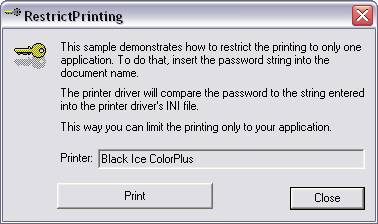
The Black Ice printer drivers include a feature which allows the driver to refuse any print jobs other than those coming from the developer’s printing application. The restriction is made using a password. The printer driver will print jobs only from the application that “knows” the password. The password can be any string defined by the developer in the printer driver INI file.
The Black Ice printer driver will scan the document name passed by the printing application for the presence of the password, i.e. the $MyPassword$ string. If the password string is present in the document name, the files are generated, if the document name does not contain the password, the print job will be aborted. The password will be removed from the document name during printing.
This option is not a security feature, it is designed to make sure that your application is the only one which can print to the Black Ice printer driver, and other applications cannot (such as Word, Excel, etc.) If you need an authentication or other security related feature, use the BiPlugIn feature of the printer driver. This sample can be compiled using Visual Studio 2005 using the appropriate project file.
Back to Sample Comparison Chart page
You are here:
Home > OEM Black Ice ColorPlus Desktop > Restrict Printer Sample
 Buy Now
 Download