Customizable User Interface
Black Ice Printer Driver API

Download Printer Driver Demo | Online Manual | Printer Driver Pricing |

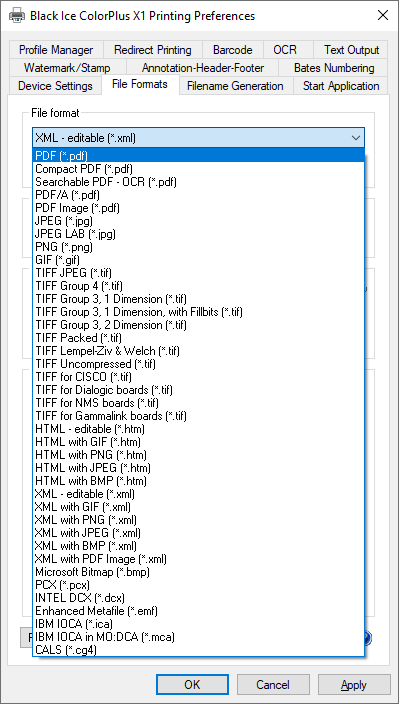
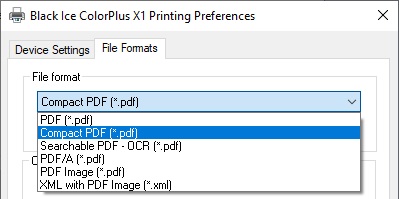
The dialog box templates and other resources used by Black Ice Printer drivers are stored in a separate DLL. The source code for the DLL that contains these resources is included in the Resource Toolkit. By modifying the resource DLL, application developers can customize the user interface of the printer driver. Controls on dialog boxes can be repositioned, resized or even hidden. The only items that cannot and should not be changed are the About box and the version and license information of the printer driver.

Since the name of the resource DLL is stored in the printer drivers DEVMODE structure, the resource DLL can be renamed to avoid conflict with other Black Ice printer drivers installed on a system.

The resource DLL also includes every text string used by the printer driver. Localization / internationalization of the printer driver can be handled very easily by translating these strings to other languages.

The dialog box tabs on the printer driver user interface also can be hidden by modifying a value in the printer driver’s INI file. These INI file setting can be set at installation time or they can be changed anytime, even programmatically from an application. The printer driver will read these values every time the printer driver user interface is displayed.

Even if the user interface controls are hidden, the printer driver settings can still be changed programmatically through the Black Ice Printer Driver API.

Furthermore, all of the Black Ice printer driver components can be renamed for use in a custom application.  In addition to renaming the individual DLLs, the printer driver can be installed with a custom name to provide a more seamless integration into the developed application.

Home > Printer Drivers > API Features > Printer driver user interface customization

 
 © Black Ice Software, LLC 1989-2006   Contact Us: 603-882-7711 or Sales@BlackIce.com