 Buy Now
 Download
Simplifying Remote Desktop Printing! Windows 11, and 10 (or above) users can take advantage of Microsoft’s Remote Desktop Protocol and Remotely log into their machines from other Windows computers with the Remote Desktop software installed. This is great for the occasional telecommuter who needs to access their desktop at the office or remotely accessing the home PC.
However, the Windows Remote Desktop Protocol doesn’t work with many of the consumer printers on the market and some virtual printer drivers. Print2Desktop makes mapping these drivers easy. Just install the Print2Desktop Server component on the machine you are logging into, and the Print2Desktop Client component on the machine you are Remoting from and select the printers you want to map, the next Remote Desktop session you initiate your printers will appear on the remote computer.
Terminal Server RDP Printing? If you are Remoting into Windows 2025/2022/2019/2016/2012 R2 use Print2RDP to solve your RDP Printing problems! Click here for more info!
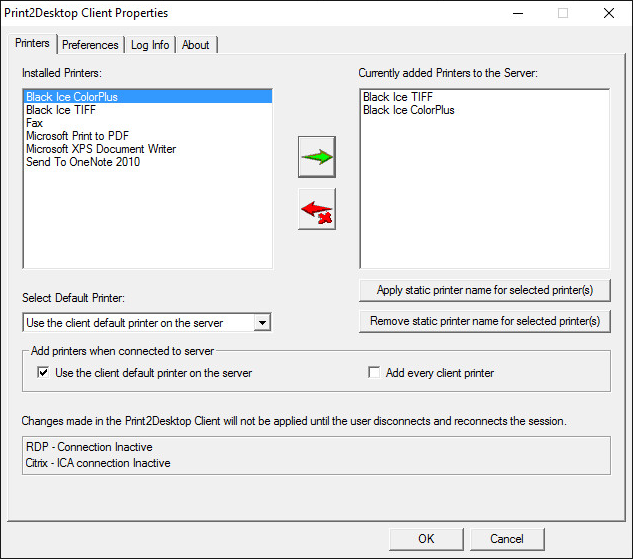
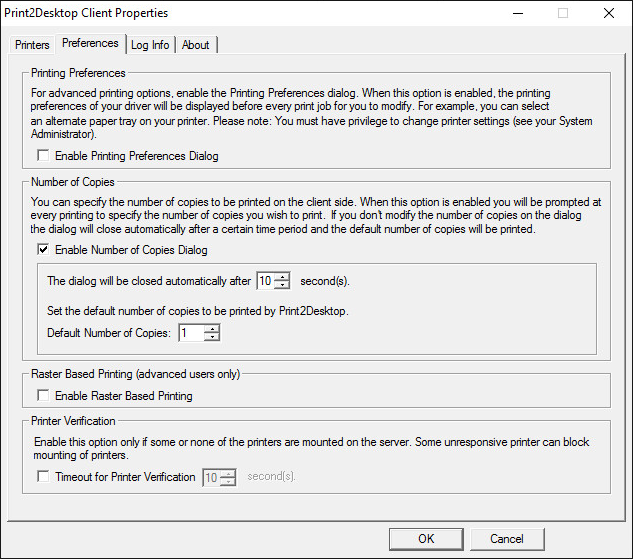
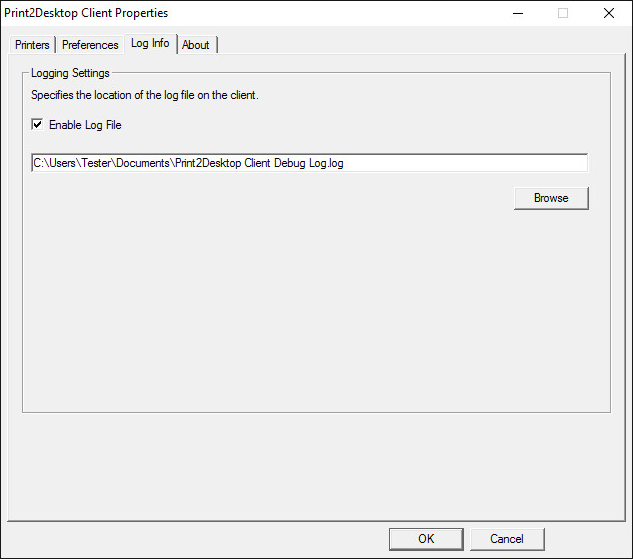
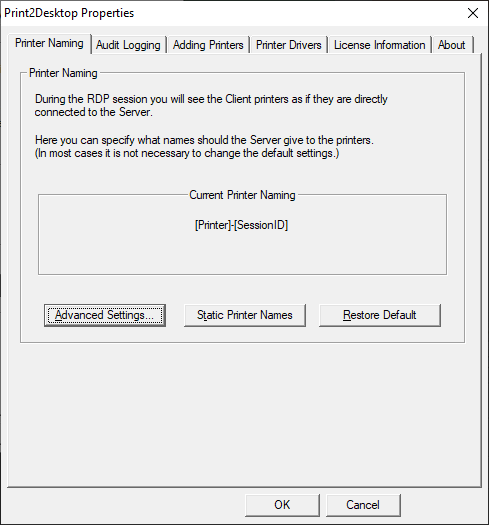
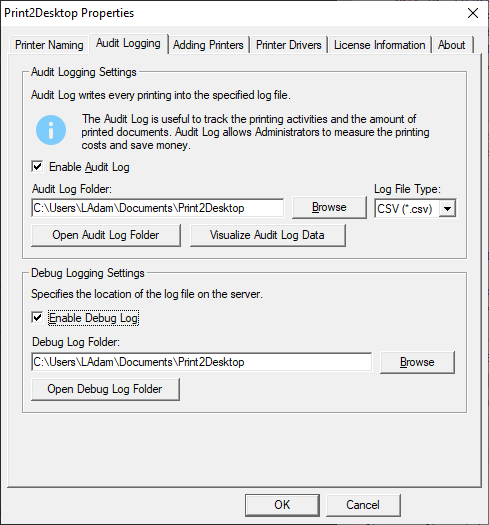
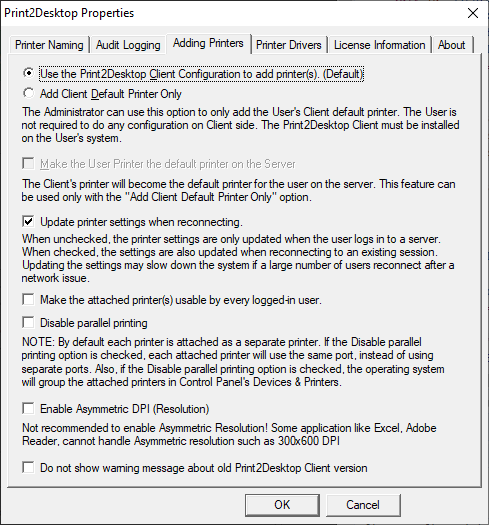
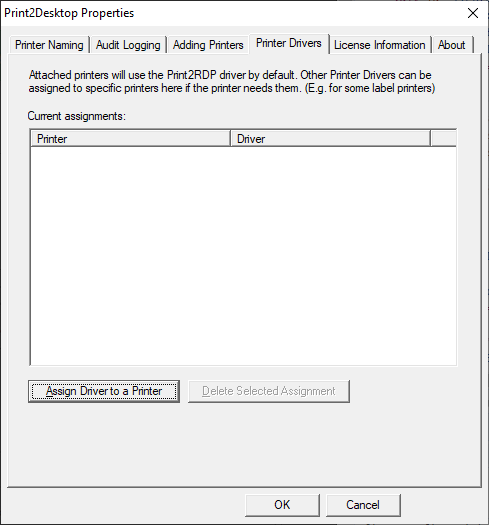
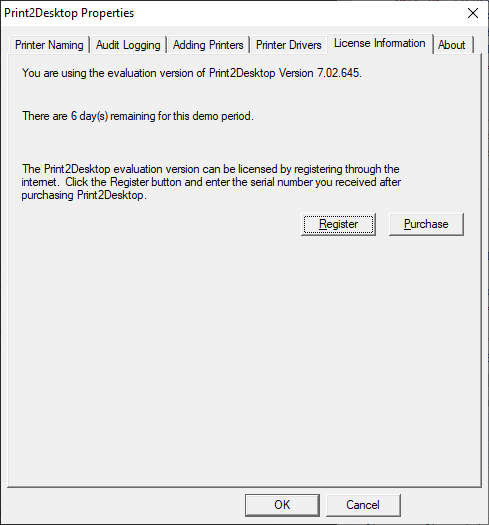
Print2Desktop dynamically configures itself to present the user with a seamless printing solution allowing them to print any file from an RDP session directly to their local or network PC. Print2Desktop is compatible with any available windows printer driver, including USB printers, network printers and even virtual printer drivers used in fax and document imaging applications.
How does it work?
Print2Desktop automatically creates a virtual printer driver for each client printer to be mapped on the remote PC. The virtual printer drivers appear as available printers and will be easily identifiable to the printing user.
RDP users can print to the virtual printer drivers as they would print to any printer from any Windows application. Print2Desktop will then compact and transmit the data to the client’s local printer for printing. The data transmitted by Print2Desktop is typically much smaller than the actual file being printed and will still have the same print quality and color as the original document.
Any number of printers can be automatically connected to each terminal server client session. This can optionally be restricted by the system administrator to be only the default client printer or a maximum number of client printers.

Supported Operating Systems
Client
Windows 11 64 bit
Windows 10 32/64 bit
Server
Windows 11 64 bit
Windows 10 32/64 bit
Key features of the Print2RDP
Network and Shared print mapping from Client to the Remote Machine
Unique printer naming for every User
Faster printer attachment on the server
Audit Log to track printed documents
Supports Duplex Printing
Parallel printing with attached printers
Default printer configurations/controls
Static Printer Naming
Label and Receipt Printer support
Transferable licensing
Printer Tray selection
"Raster based printing" for narrower bandwidth connection
Mount printers to existing sessions without logging out and logging back in
Enhanced auto-disconnect/default printer controls
Add printer(s) during installation
MSI Installer for large scale deployments: Print2Desktop Client MSI Installation Guide
Supported connection methods
Remote Desktop Connection
Ericom Blaze Client
Remote Desktop Manager Client
RemoteApp and Desktop Connection
VPN
Windows Small Business Server 2011 RWA
Web Client: RemoteApp
Desktop Client: Remote Desktop client, Remote APP client
HTML5 and Seamless client (NOT supported)
Parallel printing and creating separate printer for each client printer!
Print2Desktop creates and uses a separate port for every attached printer, allowing the users to print documents simultaneously in parallel! The Print2Desktop simultaneous printing can make the printing more faster especially if the server has many remotely logged in user who uses Print2Desktop printers.
Add Printers to existing sessions without logging out and logging back in
Print2Desktop is able to add the selected printer(s) to existing RDP sessions without logging out from the session. The user only has to disconnect (close the RDP window) and reopen it to add the selected printer(s).
Double-sided (duplex) printing
Print2Desktop supports Double-sided (duplex) printing. This option could save big amounts of paper when printing large, multi-paged documents - it is also more environment-friendly and the decreased amount of pages are easier to handle during archiving processes or when dealing with limited storage space.
Audit Logging
The Print2Desktop Server includes an Audit Log feature, allowing administrators to keep in track with every printed document, measure printer usage and calculate printing costs.
Static Printer Naming
The Print2Desktop unique feature allows the client to attach a printer with a static printer name. No session ID is necessary after the printer name. This unique feature is only available from Black Ice Software with Print2Desktop.
MSI and Active Directory Installation
Print2Desktop comes with MSI installation for Active Directory for IT managers. The MSI installation simplifies Print2Desktop installations on large or enterprise installations. The MSI installer is compatible with Microsoft SMS/SCCM. To obtain Print2Desktop MSI installations, System Administrators need to contact sales@blackice.com or impactsupport@blackice.com.
Full access to Client Printer Options
Print2Desktop allows the User to have full access to his local printer driver settings via the Print2Desktop Client. By turning on Printing Preferences in the client, the user's local printer driver dialog will appear just prior to the print job being sent to the printer, allowing the user to change options such as printer trays and other printer options.
SSL / TLS Encryption
Supports SSL (128-bit) and TLS encryption per encryption of the Remote Desktop Client.
Fast printing
Print2Desktop is based on the industry leading Black Ice printer drivers and the elapsed time from pressing print from the remote client to the time the print job is delivered to the client printer. It is faster than any other product on the market.
Configuration Free, Install and forget
Print2Desktop automatically configures itself to match the target printer settings, including color settings, resolution, orientation, etc. Neither users nor system administrators need to worry about configuring a thing. Print2Desktop is compatible with any available printer, including network printers, USB, multi-function units, fax printers, and more.
Automatic Bandwidth Optimization
Print2Desktop automatically minimizes the amount of data sent between the server and client to keep bandwidth requirements to a minimum.
Definable Printer Naming
Print2Desktop automatically assigns a straightforward naming convention to associated client printers to allow users to quickly and easily locate their desired printer. Additionally, system administrators can customize the naming conventions used to meet their specific needs.
Add Printers at installation
When the Add the client's default printer option is checked, the user's local default printer is automatically added to the Print2Desktop Client printer list. This printer will be added to the remote computer (and will be the default in the session) when you connect to Print2Desktop Server.
When the Add every client printer option is checked, every local printer of the users is automatically added to the Print2Desktop Client printer list. These printers will be added to the remote computer when the user connects with the Print2Desktop Client to the Print2Desktop Server.
NEW! Make attached printers usable by every logged-in user
Administrators have the option to make every user’s printer to be visible to other users on the server, so every user can print to any other user’s attached printer(s) on the server.
Print2Desktop is licensed as an annual subscription. Print2Desktop is licensed with 1 (one) Server which can be installed on the PC you are remoting into. A Server in this case refers to the Windows 11/10 PC the users are accessing. There are no licensing restrictions on the Print2Desktop Client component. To license multiple Servers, Windows 11/10 PC, you will need a license for each.
Black Ice Software offers different licensing models for Corporate Users and End Users. For more information, please visit the What license do I need? page.
| Print2Desktop Licenses | Subscription Price (Renewed Annually) |
| Print2Desktop Subscription (Single Server) | |
| Print2Desktop Subscription (5 Servers) | |
| Print2Desktop Subscription (10 Servers) | |
| Print2Desktop Subscription (25 Servers) | |
| Print2Desktop Subscription Over 25 Servers | Please Call |
* Subscription fee includes a support subscription.
** Please see End User License Agreement for the legal definition of the licensing terms.
*** Prices subject to change without notice.