For Printer Driver version 15.50 or higher: Download Language Pack
For Printer Driver version 15.45 or older: Download Language Pack
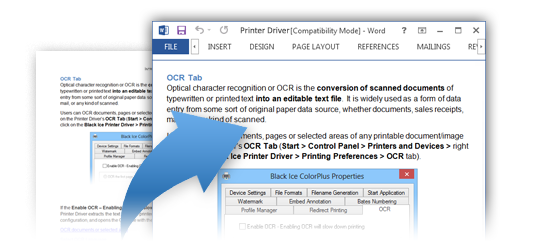
Optical character recognition or OCR is the conversion of digitized documents into an editable text file. It is widely used as a form of digital document processing for documents stored in Image file formats such as TIFF, DICOM, JPEG, PDF, etc… to store, archive any kind of document such as invoices, medical records, sales receipts, mail, or scanned documents.
OCR with Printer Driver
- Time-saving
- Cost-effective
- Accurate
- Fast and Easy
The Black Ice Printer Driver includes English OCR Language by default, which provides decent OCR accuracy for documents written in most Latin-based languages. For other languages, an OCR language pack is available for the Printer Drivers for more accurate results. The language pack contains the character set for every major language.
The OCR Language Pack for Printer Drivers includes the following 64 languages:
Afrikaans
Albanian
Ancient Greek Language
Arabic
Azerbaijani
Basque
Belarusian
Bengali
Bulgarian
Catalan
Cherokee
Chinese (Simplified)
Chinese (Traditional)
Croatian
Czech
Danish
Dutch
English
Esperanto
Esperanto alternative
Estonian
Finnish
Frankish
French
Galician
German
Greek
Hebrew
Hindi
Hungarian
Icelandic
Indonesian
Italian
Italian (Old)
Japanese
Kannada
Korean
Latvian
Lithuanian
Macedonian
Malay
Malayalam
Maltese,
Middle English (1100-1500)
Middle French (ca. 1400-1600)
Norwegian
Polish
Portuguese
Romanian
Russian
Serbian (Latin)
Slovakian
Slovenian
Spanish
Spanish (Old)
Swahili
Swedish
Tagalog
Tamil
Telugu
Thai
Turkish
Ukrainian
Vietnamese
The OCR can be performed on the entire document, on the first page or on selected areas on the page. The OCR can be configured on the Printer Driver’s OCR Tab (Start > Control Panel > Printers and Devices > right click on the Black Ice Printer Driver > Printing Preferences > OCR tab) and in the Printer Manager OCR Tab.
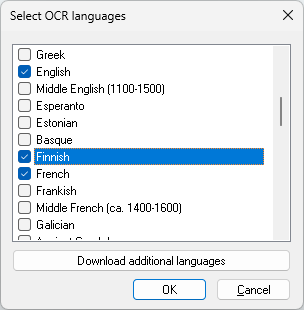
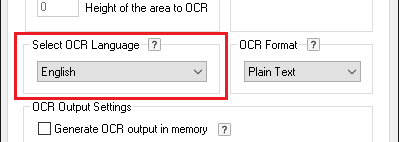
To select OCR language(s), navigate to Printing Preferences > OCR tab, and click the Select OCR languages button to open the language selection dialog.
In the Select OCR languages dialog, installed OCR languages are listed and can be enabled or disabled using the corresponding checkboxes. To add more languages, click the Download Additional Languages button.