SAP printing configuration
SOLUTION WITH SAP LPD (FOR WINDOWS XP, WINDOWS 7)
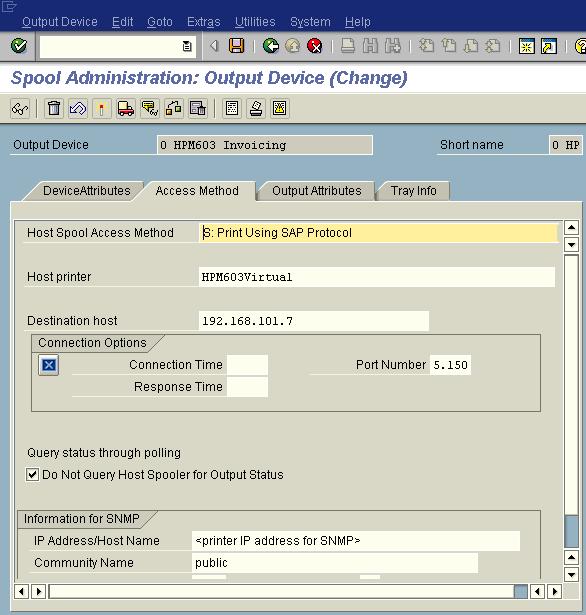
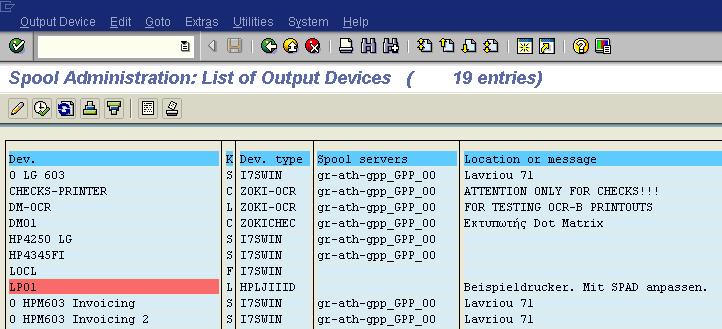
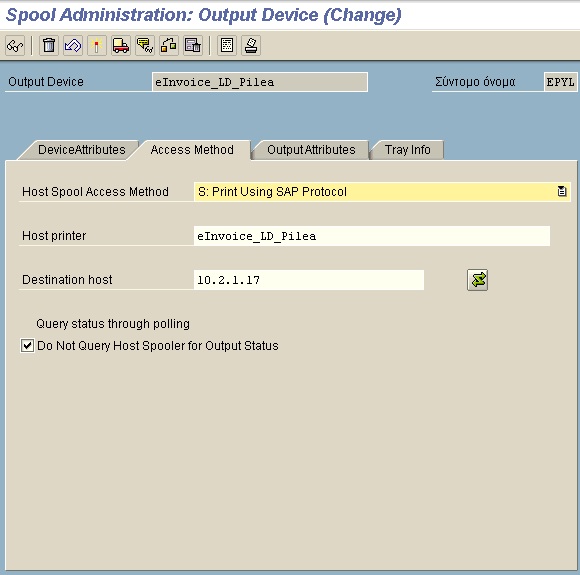
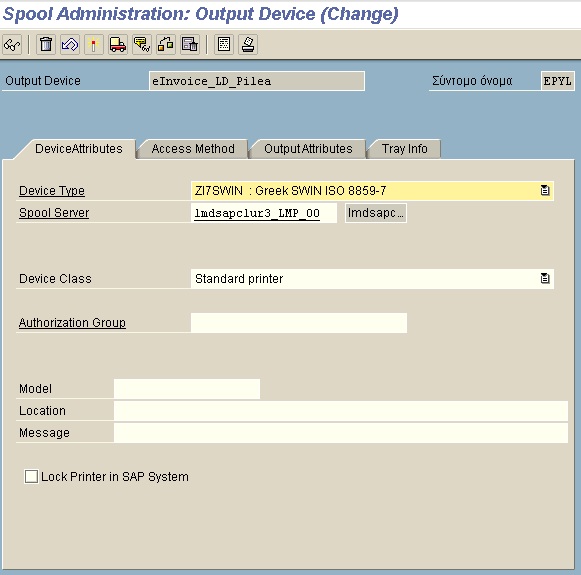
Configure inside sap a new device output
| Output device name | eInvoiceXXX |
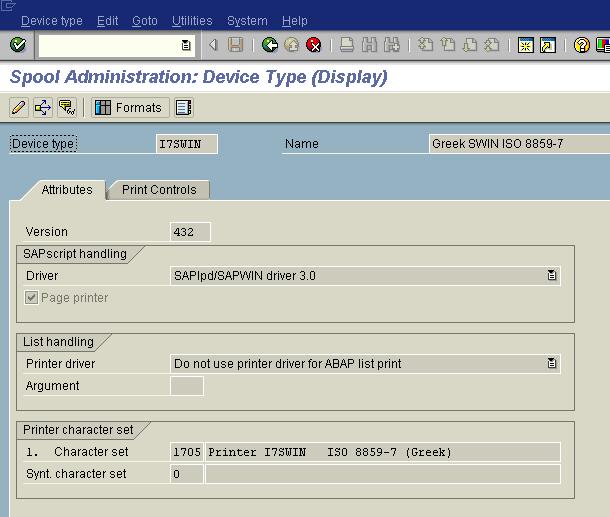
| Device type | ZI7Win:Greek ISO 8859-7 alternative you can use i7swin |
| Device class | Standard printer |
| Host Spool Access Method | S:Printing using sap protocol |
| HostPrinter | The ip address or name of the pc/server |
Install the local pc sapLpd
Please notice that PCL is been send by SAP whenever is not feasible to send it as EMF. In order to direct sapLpdf to send always as EMF one can do it by other utilizing saplpd.ini file or by setting values in registry:
saplpd.ini
[SAPLPD]
ColorMode=1
ColorBackgound=1
SWBackground=0
PortraitOnly=0
print_spaces=1
WinCharSet=161
SwinDataType=EMF
Or registry configuration
HKEY_CURRENT_USER\Software\SAP\SAPlpd\SAPLPD
Type: String
Name: SwinDataType
Value: EMF
SOLUTION WITH SAP SPRINT (FOR WINDOWS XP, WINDOWS 7, WINDOWS 2003, WINDOWS 2008)
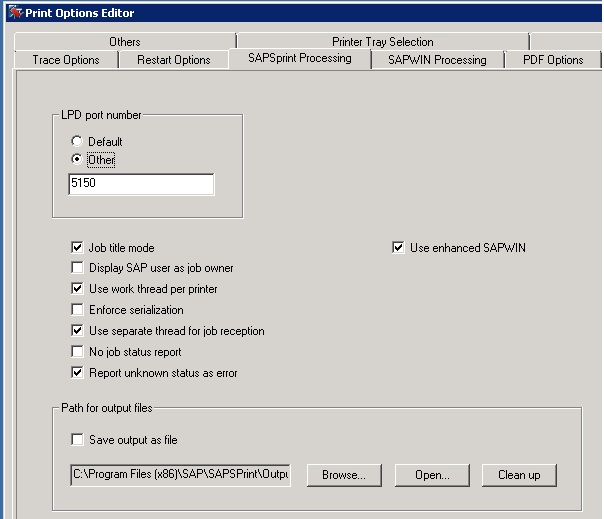
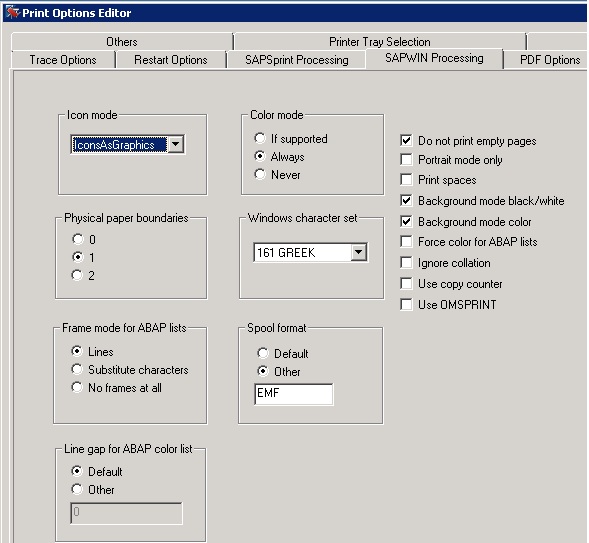
In sap sprint one cannot define from ini file or registry the default configuration. The tool used for defining those configurations is print option editor.
SAP will produce PCL file for 2 basic reasons:
- If the document type is not EMF compatible (please use device type i7swin or any other extension based on that configuration.
- Sap will be not be able to print EMF if LPD port is the same with the one used by Windows, change the LPD port to 5150 and set spool type to EMF.