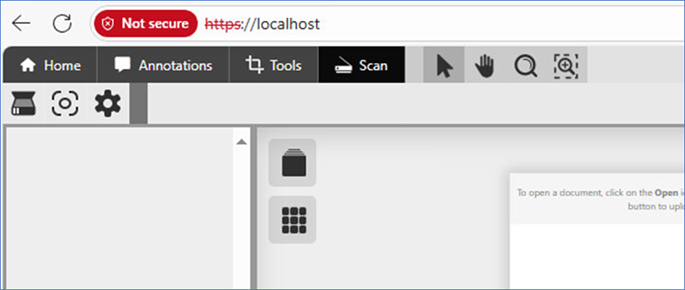
Scanners are not detected on the client side
If the scanners are not being detected is most likely related to the scanner driver architecture.
Most legacy scanners typically have 32-bit drivers, which means they will not work with the 64-bit version of the Black Ice IceViewer Scanning application. The possible solution is to install the 32-bit scanning application for the IceViewer.
We recommend the following solution:
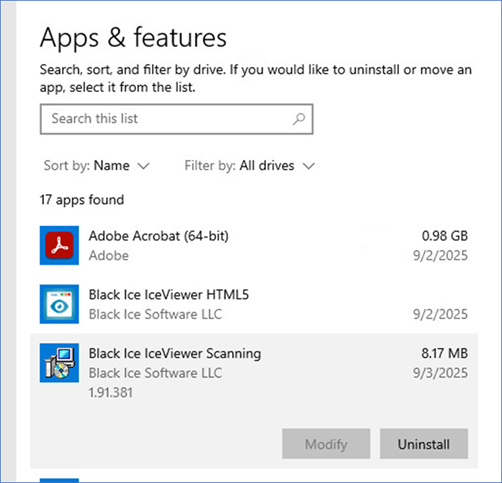
- Uninstall the 64-bit version of the Black Ice IceViewer Scanning application from the Windows Settings > Apps and Features.
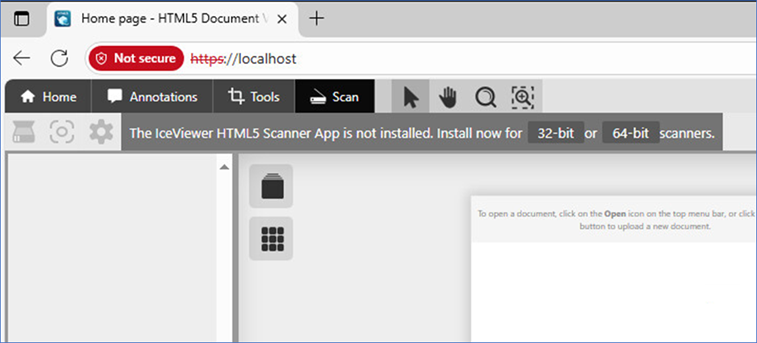
- Access the IceViewer, and when prompted, download and install the 32-bit version of the Black Ice IceViewer Scanning application. This could potentially resolve the detection issue with your scanners.
Additionally, please ensure that the IceViewer HTML5 Scanner Application is running on the client computer. You can check this by opening the IceViewer application, and if the Scanner icons are active, it means that the scanner application is running correctly, and the IceViewer was able to connect to it.