
Another website appears when trying to access the Web Interface
This problem can occur, if one installed the website with a port number, which is already in use by another website, or application.
In order to make sure that no other websites are using the port, open the Internet Information Services (IIS) Manager, and go to Sites.
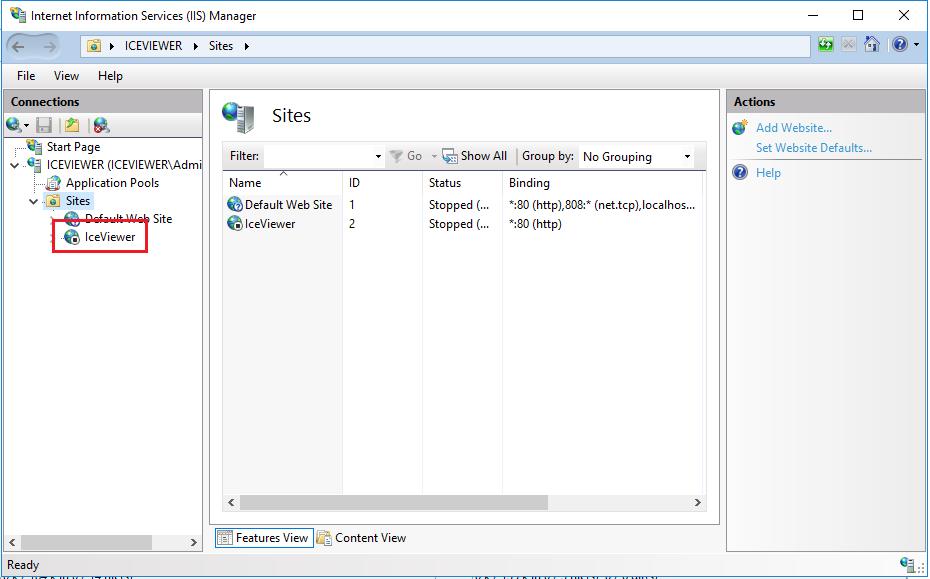
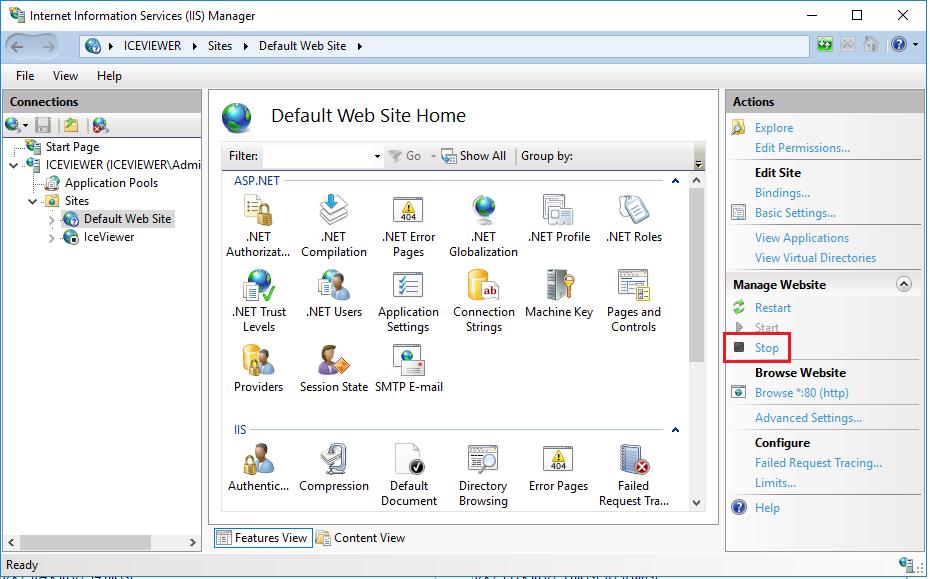
One will see the configured websites, and under the configured port number under the Binding column. If there is another website which uses the same port number, then select the website and click Stop in the right pane.
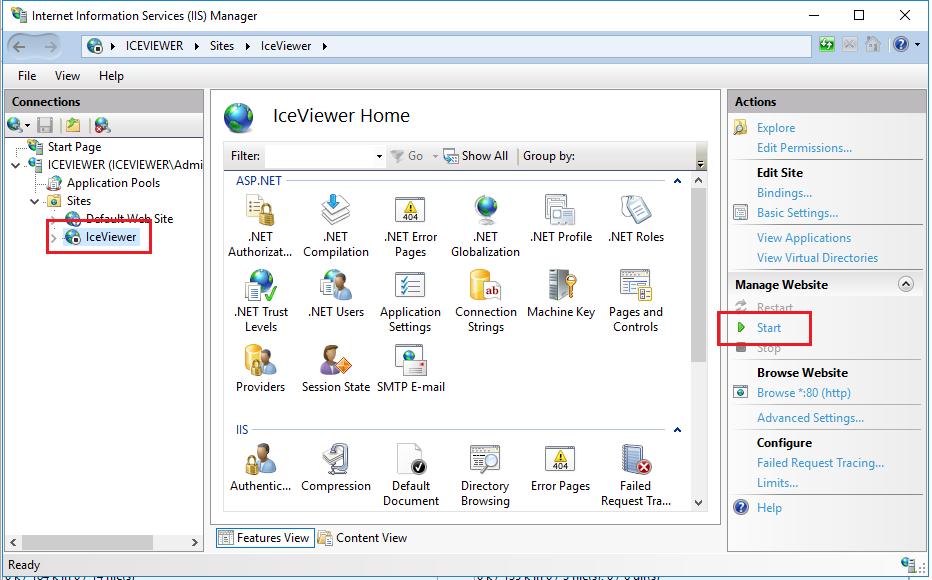
Once the website has been stopped, select the IceViewer HTML5 website, and click on Start.
Try to access the IceViewer HTML5 again.